6 About Your Monitor About Your Monitor 7
About Your Monitor
Package Contents
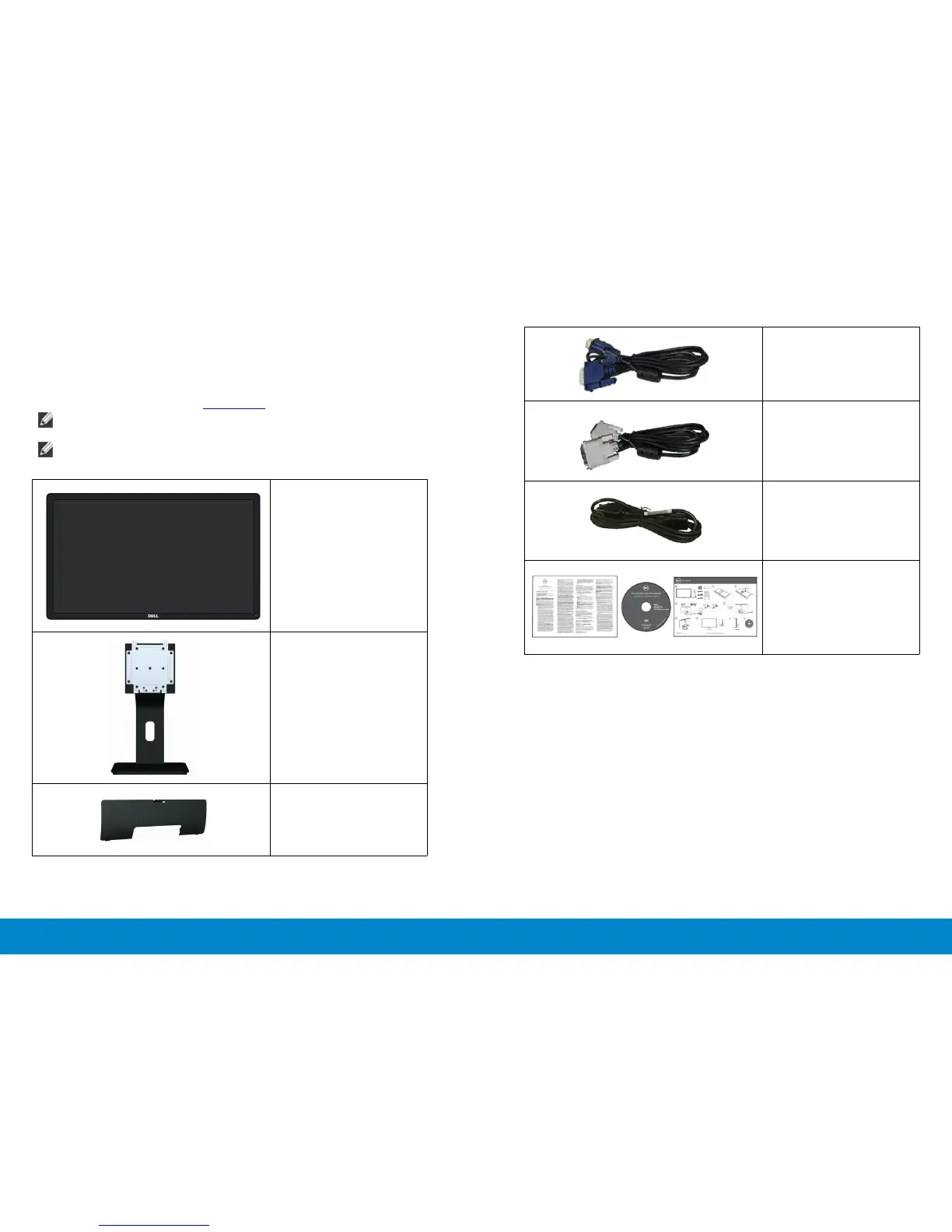
Your monitor ships with the components shown below. Ensure that you have
received all the components and contact Dell if something is missing.
NOTE: Some items may be optional and may not ship with your monitor.
Some features or media may not be available in certain countries.
NOTE: To set up with any other stand, please refer to the respective
stand setup guide for setup instructions.
• Monitor
• Stand
• Cable Cover
• VGA Cable
• DVI Cable (E2414H only)
• Power Cable (varies by
countries)
• Drivers and
Documentation media
• Quick Setup Guide
• Product and Safety
Information Guide
Product Features
The Dell E2414H/E2414Hr at panel display has an active matrix, thin-lm
transistor (TFT), liquid crystal display (LCD), and LED backlight. The monitor
features include:
• 60.97 cm (24-inch) active area display (Measured diagonally) 1920 x 1080
resolution, plus full-screen support for lower resolutions.
• Tilt adjustment capability.
• Removable pedestal and Video Electronics Standards Association (VESA™)
100 mm mounting holes for exible mounting solutions.
• Plug and play capability if supported by your system.
• On-Screen Display (OSD) adjustments for ease of set-up and screen
optimization.
• Software and documentation media includes an information le
(INF), Image color Matching File (ICM), Dell Display Manager software
application and product documentation. Dell Display Manager included



 To Next Page