Back to Contents Page
Operating the Monitor
Dell™E248WFPFlatPanelMonitorUser'sGuide
Using the Front Panel Controls
Using the On-Scree Display (OSD) Menu
Setting the Optimal Resolution
Using the Dell Soundbar (Optional)
Using the Tilt
Using the Front Panel
Usethebuttonsonthefrontofthemonitortoadjusttheimagesettings.
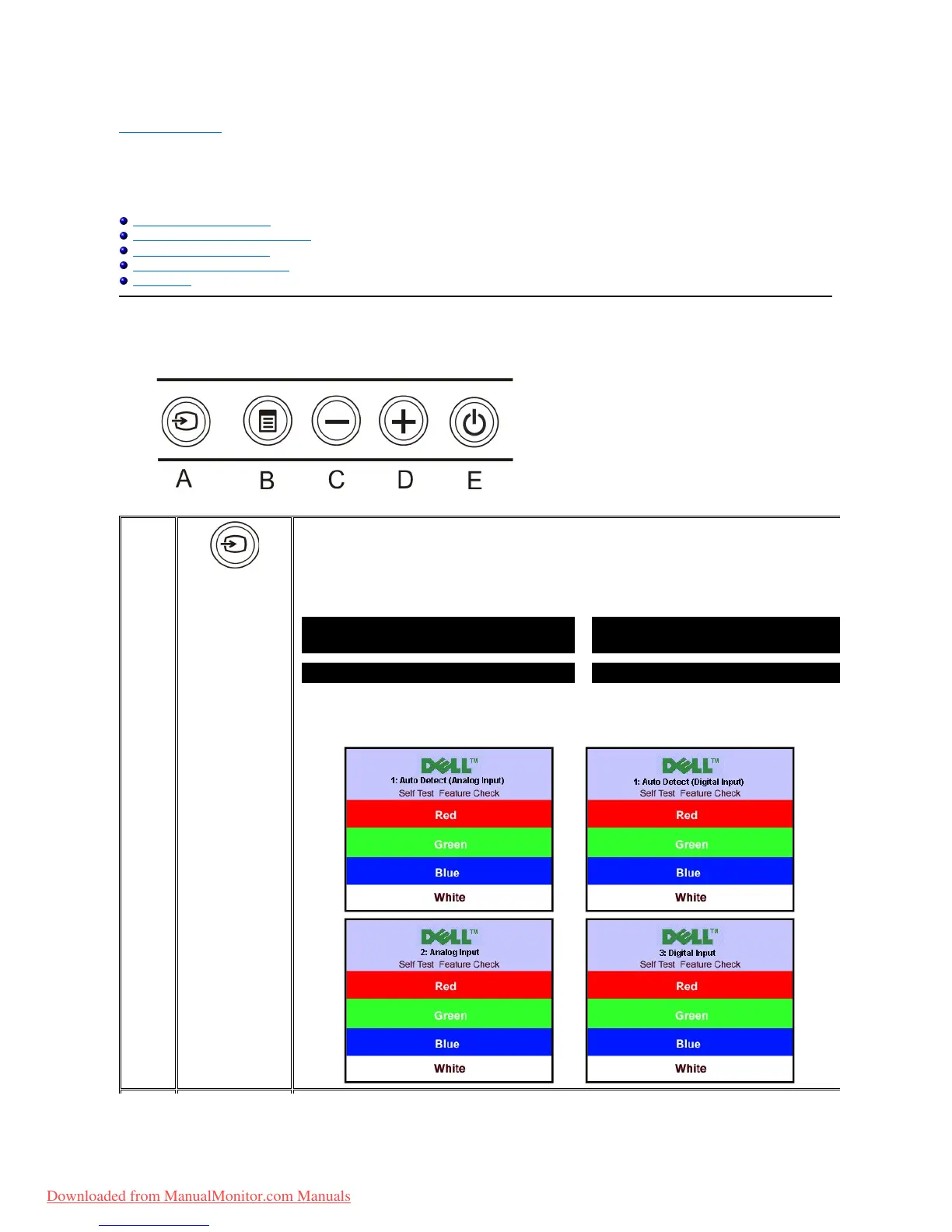
Use Input Source Select button to select between two different video signals that may be connected to your monitor.
l VGA input
l DVI-D input
As you cycle through the inputs you will see the following messages to indicate currently selected input source. It may
take 1 or 2 seconds for the image to appear.
If either VGA or DVI-D input is selected and both VGA and DVI-
D cables are not connected, a floating dialog box as shown
1. Auto Detect (Analog Input)
1.AutoDetect(DigitalInput)
Downloaded from ManualMonitor.com Manuals



 To Next Page