28 | Power Supplies
www.dell.com | support.dell.com
NOTE: For a NEBS compliant installation, the AC power connections must use a surge protection device
(SPD) to protect the AC power supplies from damage to excessive power line surges.
NOTE: To comply with the GR-1089 Lightning Criteria for Equipment Interfacing with AC Power Ports, an
external surge protection device (SPD) is intended to be used at the AC input of the router.
WARNING: Prevent exposure and contact with hazardous voltages. Do not attempt to operate this system
with the safety cover removed.
CAUTION: The DC power supply comes with a 6-8inch cord with a snap-in plug that attaches to the DC
power supply and screw terminals that attach to the main power. Dell Force10 recommends using a longer
cable, to ensure sufficient room.
CAUTION: Note is that the power supply is marked + 48V - . Connect the + (plus sign) to the red cable on the
6-8 inch cord; the - (minus sign) connects to the black cable. BE SURE TO to connect the RED to RETURN
and connect the BLACK to -48V.
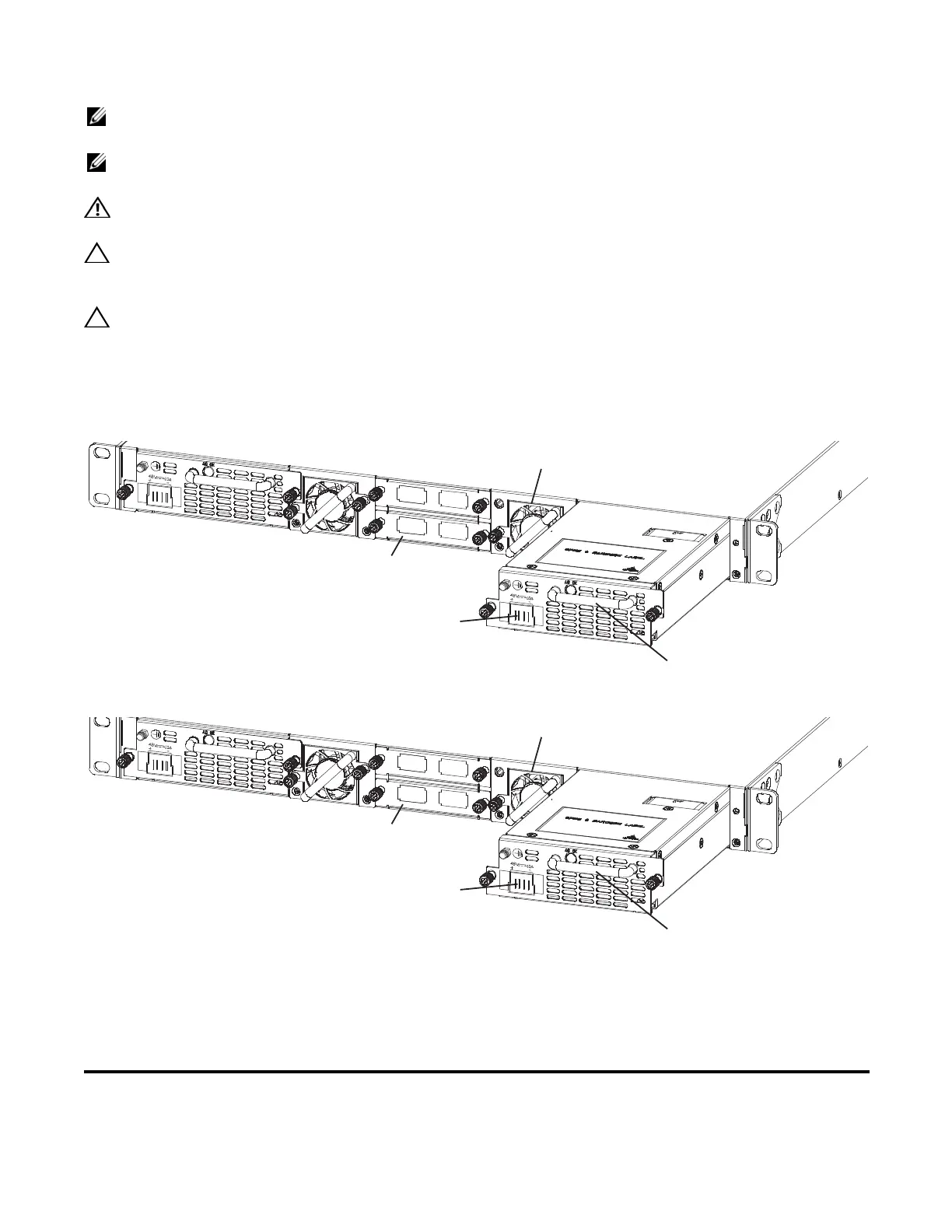
Power Supply 0 (PSU0) is on the left; Power Supply 1(PSU1) is on the right.
Figure 5-1. DC Power Supply
Figure 5-2. AC Power Supply
To install a new power supply, follow the steps below:
The power supply modules should slide into the slots smoothly. Do not force a module into a slot. This
may damage the power supply or the S55 chassis.
Step Task
1 Take the power supply unit out of the shipping box.
Grab Handle
PSU0
PSU1
Fan Module
Optional Module
Cable
Connector
Grab Handle
PSU0
PSU1
Fan Module
Optional Module
Cable
Connector















 To Next Page