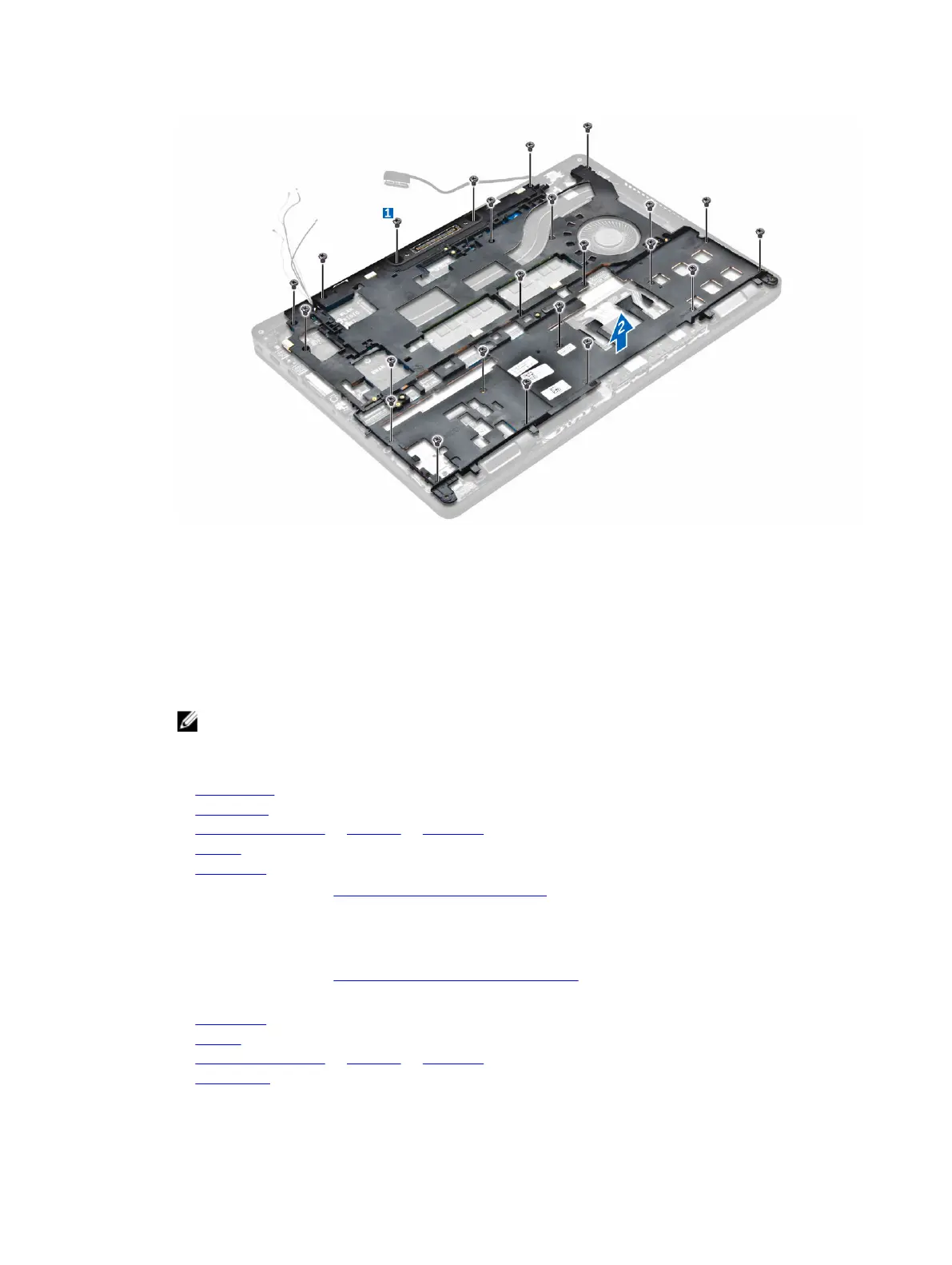
Installing the dock frame
1. Place the dock frame on the computer and tighten the screws.
2. Connect the eDP cable.
3. Place the metal bracket and tighten the screw.
4. Connect the keyboard cable.
5. Place the SSD plate and tighten the screw to secure it.
NOTE: This step is required only if the PCIe SSD card is removed.
6. Tighten the screws to secure the dock frame to the computer.
7. Install the:
a. WWAN card
b. WLAN card
c. hard drive assembly or M.2 SSD or PCIe SSD
d. battery
e. base cover
8. Follow the procedure in After working inside your system.
Removing the optional SmartCard reader board
1. Follow the procedure in Before working inside your computer.
2. Remove the:
a. base cover
b. battery
c. hard drive assembly or M.2 SSD or PCIe SSD
d. dock frame
24



 To Next Page