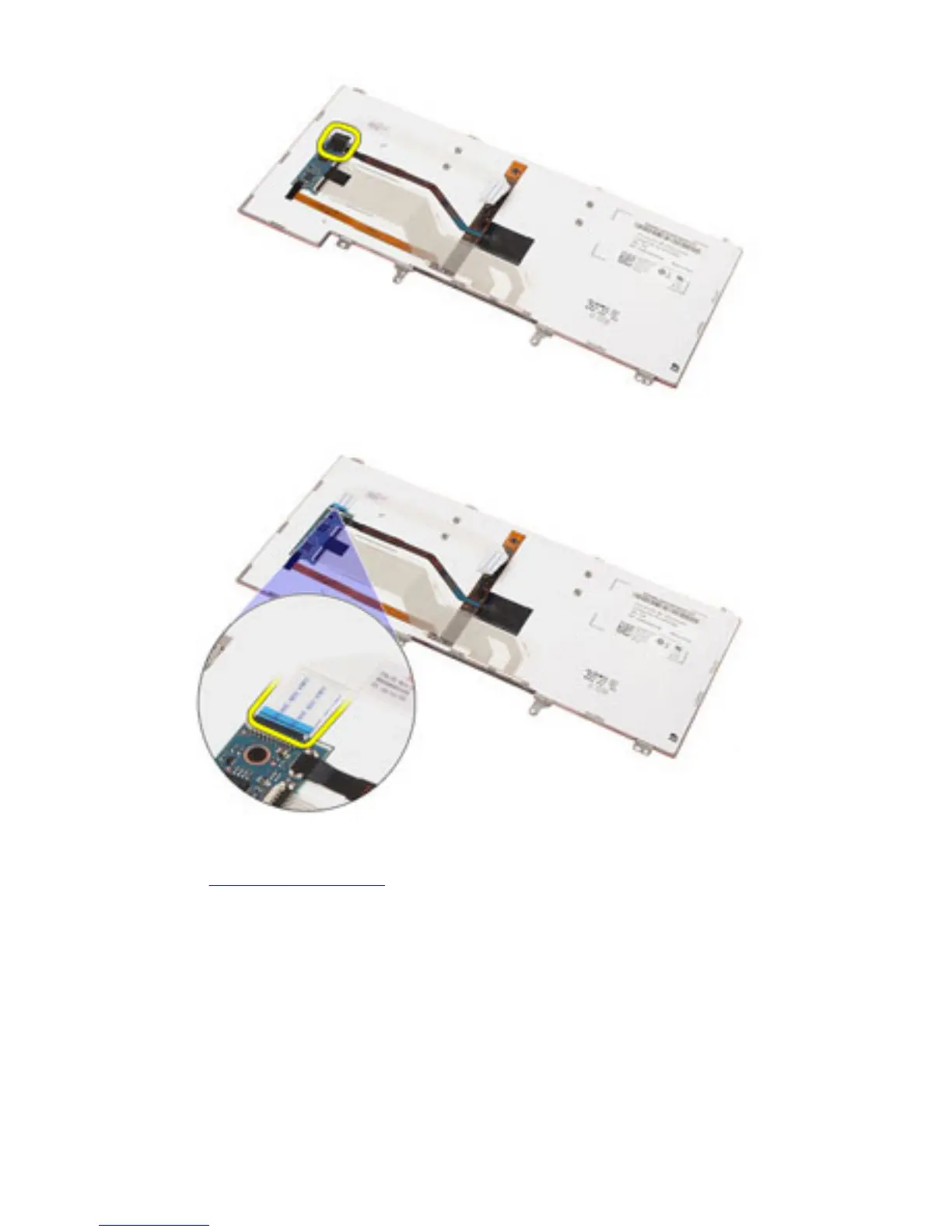
10. Disconnect and remove the keyboard cable from the keyboard.
Related Links
Installing The Keyboard
Installing The Keyboard
1. Connect the keyboard cable and secure it to the keyboard using the tape.
2. Connect the keyboard cable to its connector on the system board.
3. Turn the keyboard over and lay it on the palmrest.
4. Replace and tighten the screws to secure the keyboard to the palmrest assembly.
5. Replace and tighten the screws to secure the keyboard to the computer.
50















 To Next Page