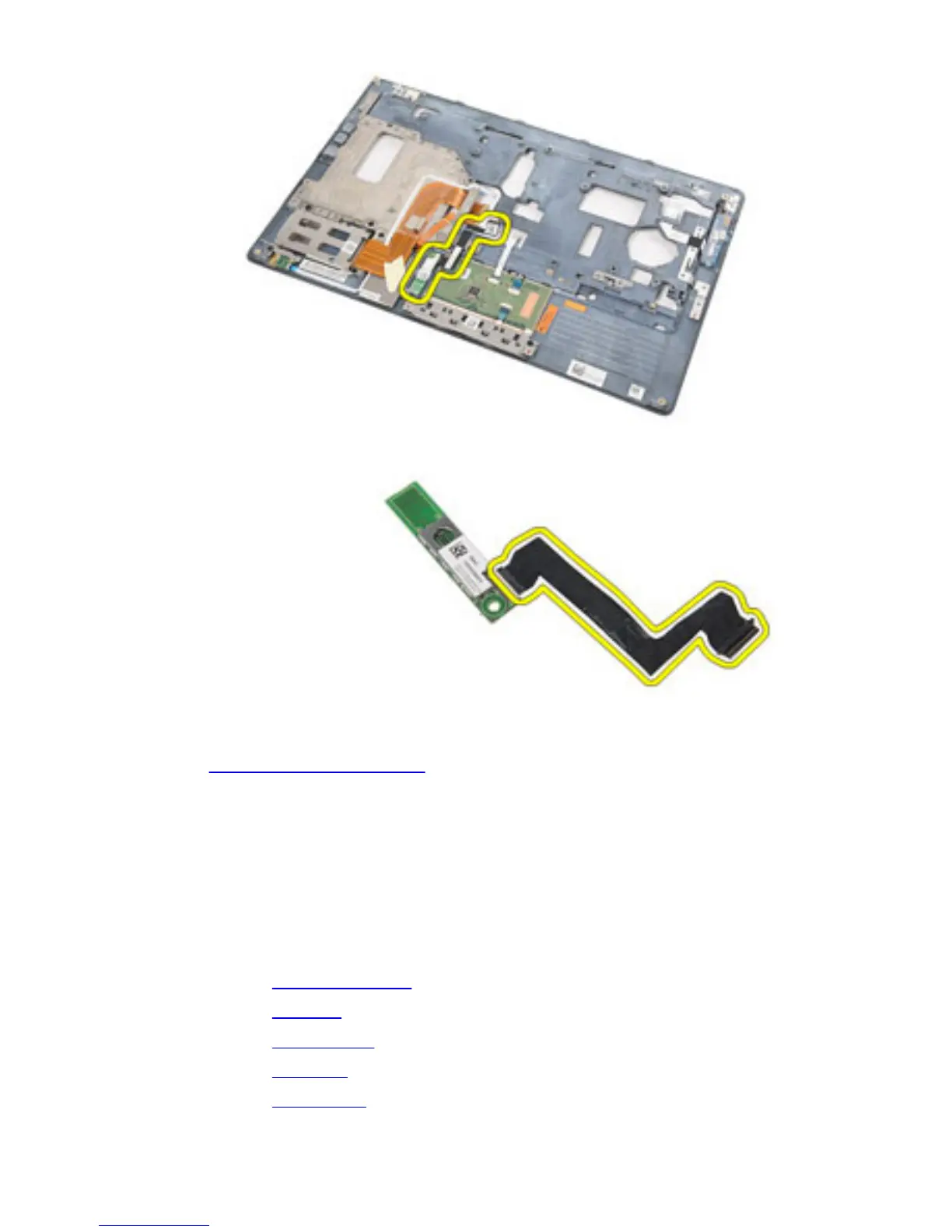
13. Release and remove the bluetooth cable from the bluetooth card.
Related Links
Installing The Bluetooth Card
Installing The Bluetooth Card
1. Connect the bluetooth cable to the bluetooth card.
2. Place the bluetooth card on the palmrest assembly.
3. Replace and tighten the screw to secure the bluetooth card to the palmrest
assembly.
4. Install the palmrest assembly.
5. Install the keyboard.
6. Install the keyboard trim.
7. Install the hard drive.
8. Install the ExpressCard.
58















 To Next Page