Internet 63
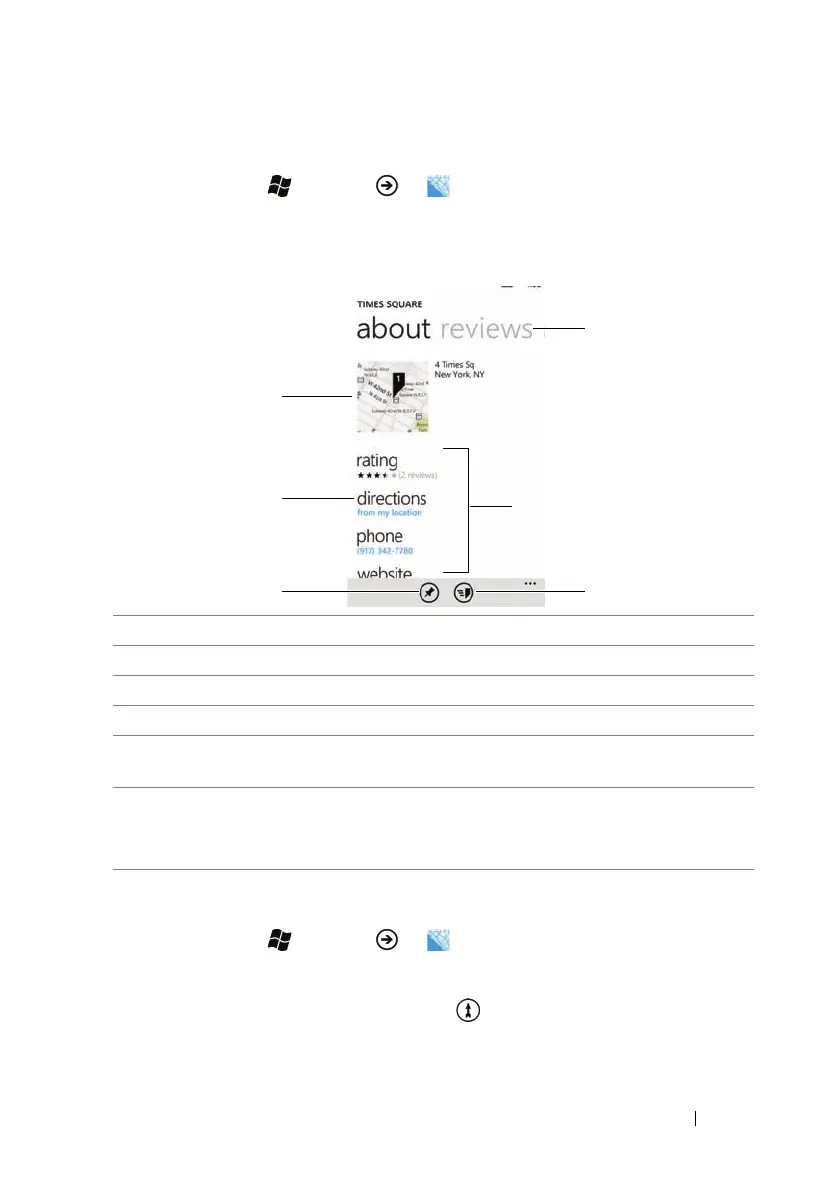
To view the details of a place
1 Touch Start →
Menu
→ Maps.
2 Find a desired location on the map (see To find a location on the
map).
3 Touch the name of the place.
To get directions to your destination
1 Touch Start →
Menu
→ Maps.
2 When viewing a map or when a place is found:
•Touch the directions button .
• Touch the name of the place on the map→ directions.
1 Touch to open the map displaying the location of the place.
2 Touch to obtain directions (see To get directions to your destination).
3 Touch to pin the map of the place on the Start screen.
4 Touch and send the address through text messaging or e-mail.
5 Touch to view the rating, call the contact number, or visit the website of
the place if available.
6 Flick to or touch the reviews section title to view reviews for the place.
Flick to or touch the nearby section title to view recommended places
around the area.



 To Next Page