Adding and Replacing Parts 131
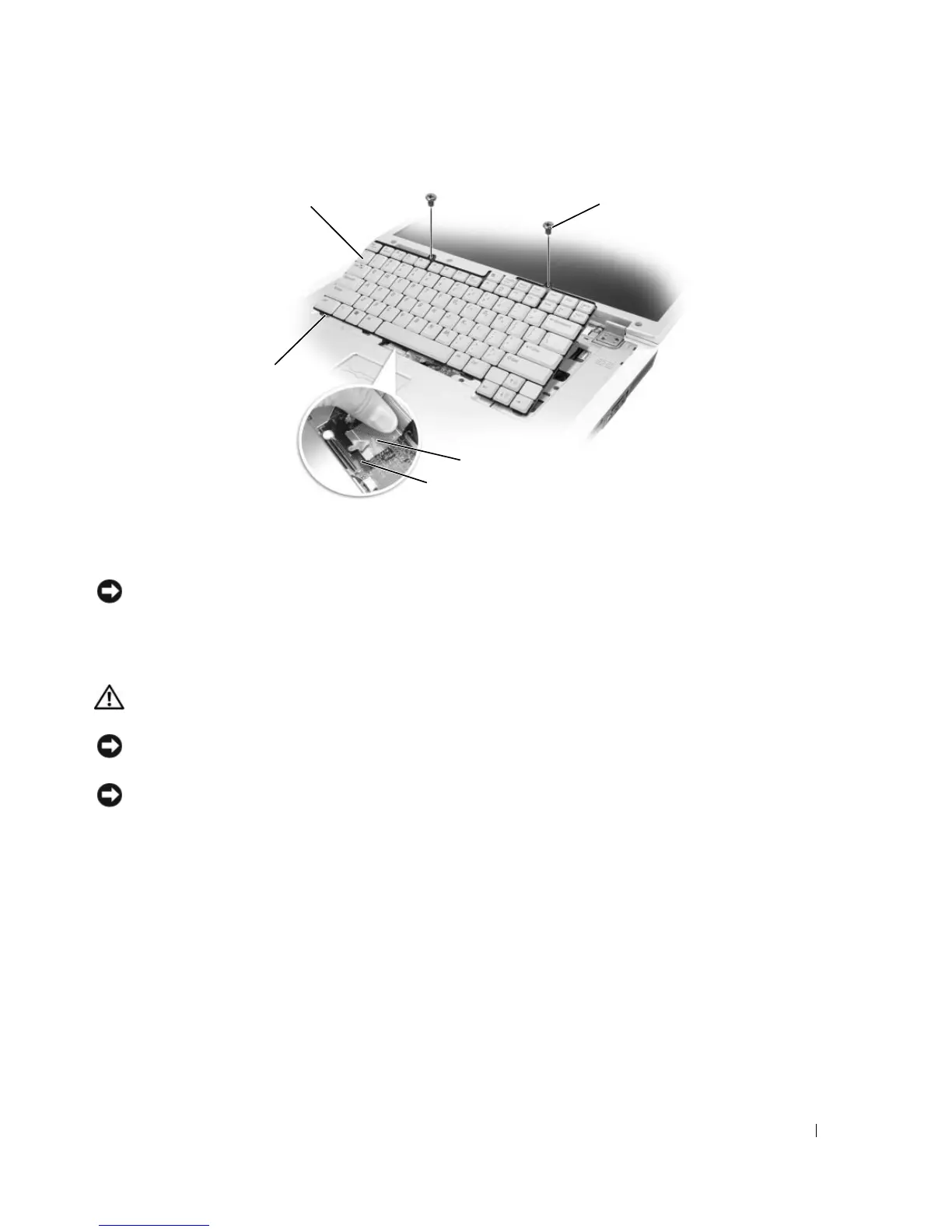
NOTICE: To avoid scratching the palm rest when replacing the keyboard, hook the five tabs along the front edge of
the keyboard into the palm rest, and then secure the keyboard in place.
Coin-Cell Battery
CAUTION: Before you begin any of the procedures in this section, follow the safety instructions in the Product
Information Guide.
NOTICE: To avoid electrostatic discharge, ground yourself by using a wrist grounding strap or by periodically
touching an unpainted metal surface (such as a connector on the back of the computer).
NOTICE: To avoid damaging the system board, you must remove the battery before you begin working inside the
computer.
1
Follow the procedures in "Before You Begin" on page 117.
2
Remove the hinge cover. See "Hinge Cover" on page 129.
3
Remove the keyboard. See "Keyboard" on page 130.
4
Remove the existing coin-cell battery:
a
Pull up on the connector to disconnect the battery cable from the system board.
b
Press the release latch on the side of the coin-cell battery compartment, and lift the battery.
1 keyboard 2 keyboard screws (2) 3 keyboard cable
4 keyboard connector latch 5 keyboard tabs
4
5
3
2
1













 To Next Page