132 Adding and Replacing Parts
5
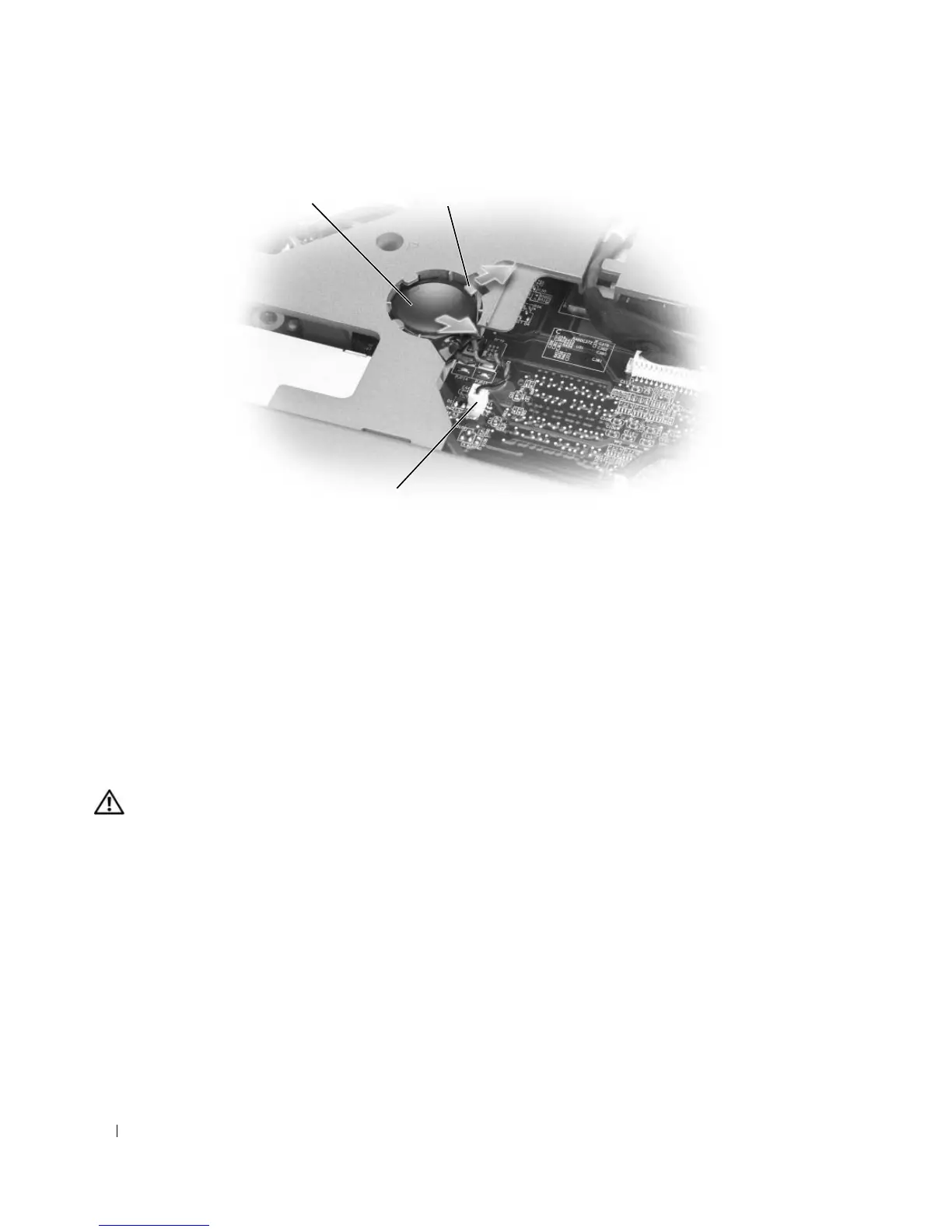
Install the replacement battery:
a
Insert the battery at a 30-degree angle under the release latch with the positive side up, and then
push the battery into place.
b
Connect the battery cable to the connector on the system board.
6
Replace the keyboard.
7
Replace the hinge cover.
Optical Drive
CAUTION: Before you begin any of the procedures in this section, follow the safety instructions in the Product
Information Guide.
1
Follow the procedures in "Before You Begin" on page 117.
2
Turn the computer over.
3
Remove the optical-drive security screw.
4
Insert a scribe into the notch and push it to the side to release the drive from the bay.
1 coin-cell battery 2 release latch 3 battery cable connector
1 2
3













 To Next Page