Adding and Replacing Parts 133
5
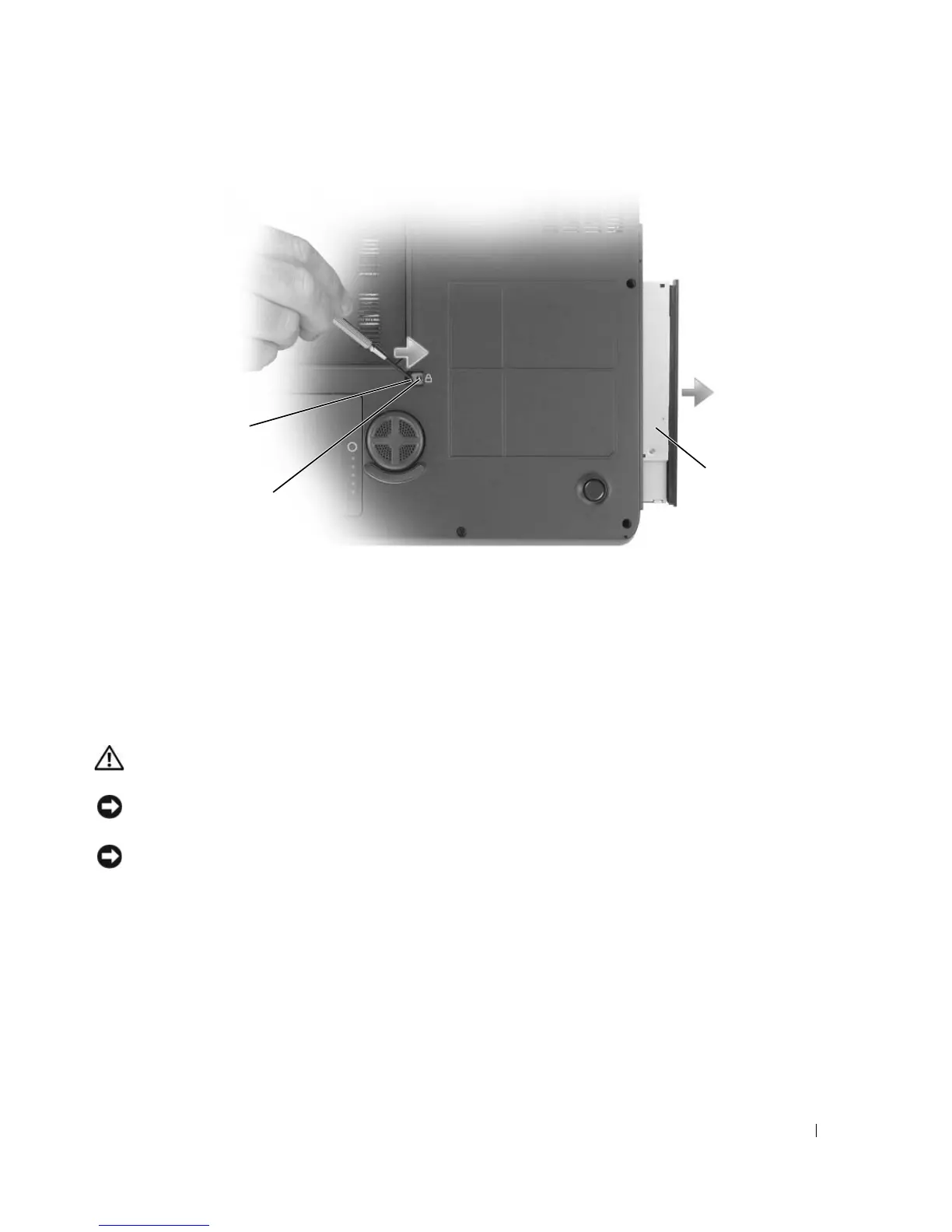
Slide the drive out of the bay.
To reinstall the optical drive, slide the drive into the drive bay and snap it into place. Then replace the
optical-drive security screw.
Internal Card With Bluetooth
®
Wireless Technology
CAUTION: Before you begin any of the procedures in this section, follow the safety instructions in the Product
Information Guide.
NOTICE: To avoid electrostatic discharge, ground yourself by using a wrist grounding strap or by periodically
touching an unpainted metal surface (such as a connector on the back of the computer).
NOTICE: To avoid damaging the system board, you must remove the battery before you begin working inside the
computer.
If you ordered a card with Bluetooth wireless technology with your computer, it is already installed.
1
Follow the procedures in "Before You Begin" on page 117.
2
Remove the battery. See "Replacing the Battery" on page 47.
3
Loosen the captive screw and remove the card cover from the computer.
4
Pull the card out of the compartment so that you can disconnect the card from its cable and remove it
from the computer.
1 notch 2 optical-drive security screw 3 optical drive
2
3
1













 To Next Page