Using CDs, DVDs, and Other Multimedia 65
6
Plug the other end of the digital audio cable into the S/PDIF input connector on your TV or other
audio device.
7
Turn on the TV, turn on any audio device that you connected (if applicable), and then turn on the
computer.
8
See "Enabling the Display Settings for a TV in Microsoft
®
Windows
®
XP" on page 70 to ensure that
the computer recognizes and works properly with the TV.
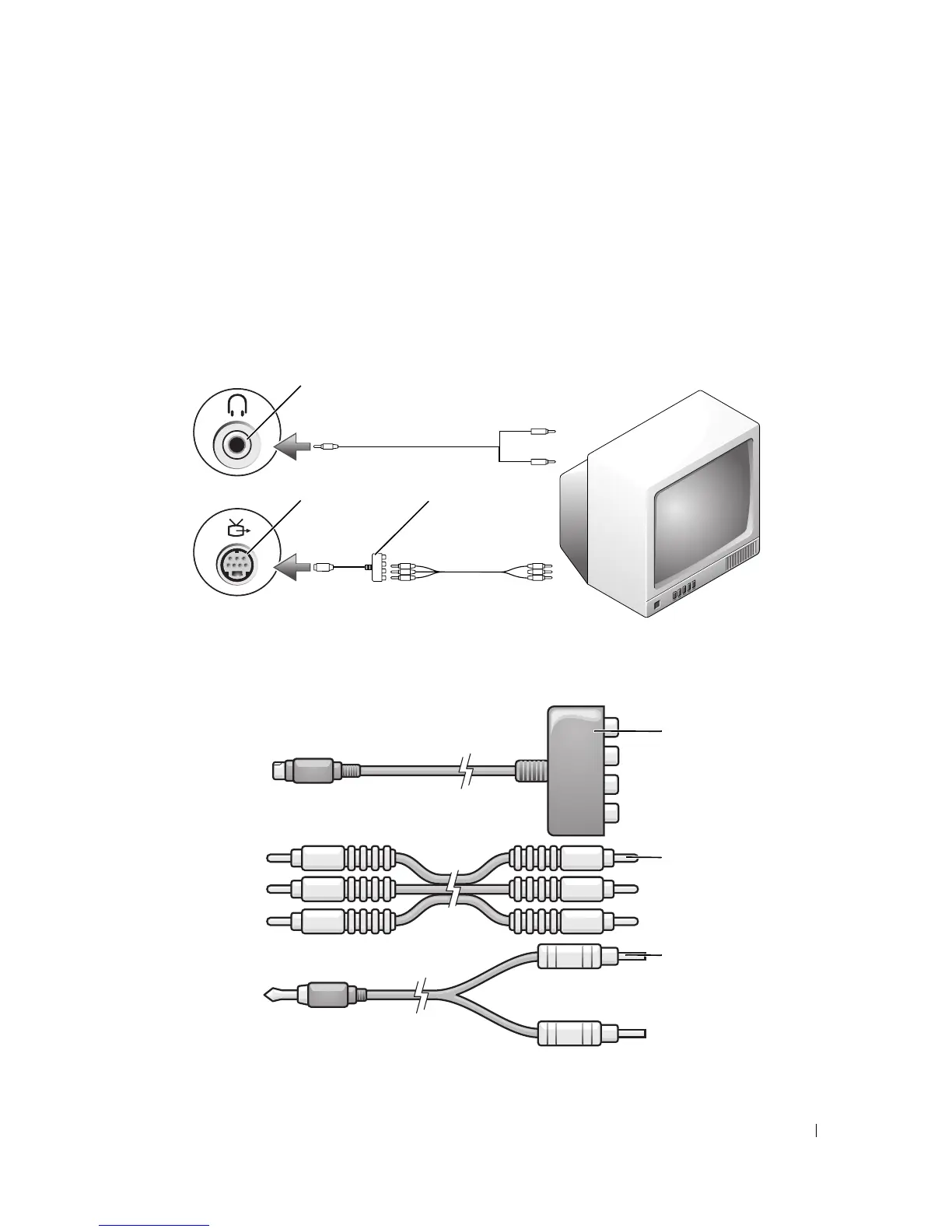
Component Video and Standard Audio
1 S-video TV-out connector 2 component video adapter
1 component video adapter 2 component video cable 3 standard audio cable
3
2
1
1
2
3













 To Next Page