A Tour of Your Computer 23
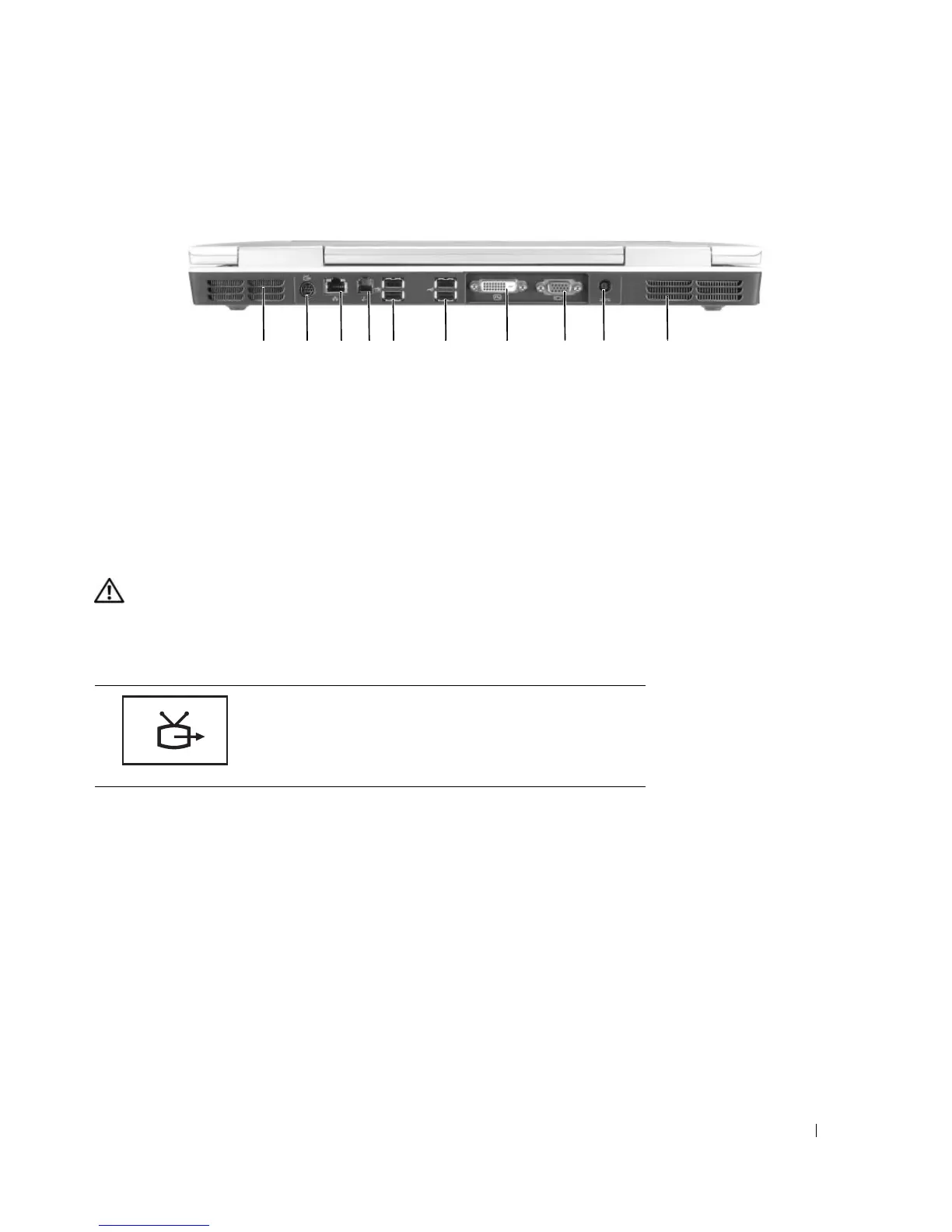
Back View
AIR VENT — The computer uses fan(s) to create airflow through the vents, which prevents the computer from
overheating.
CAUTION: Do not block, push objects into, or allow dust to accumulate in the air vents. Do not store your
computer in a low-airflow environment, such as a closed briefcase, while it is running. Restricting the airflow
can damage the computer or cause a fire.
S-
VIDEO TV-OUT CONNECTOR
1 air vent 5 USB connectors (2) 9 AC adapter connector
2 S-video TV-out connector 6 USB connectors (2) 10 air vent
3 network (RJ-45) connector 7 Digital-Video Interface
(DVI) connector
4 modem (RJ-11) connector 8 video (VGA) connector
Connects your computer to a TV. Also connects digital
audio capable devices using the TV/digital audio
adapter cable.
1 2345 6 7 8 9 10













 To Next Page