32 | Setting Up the Monitor
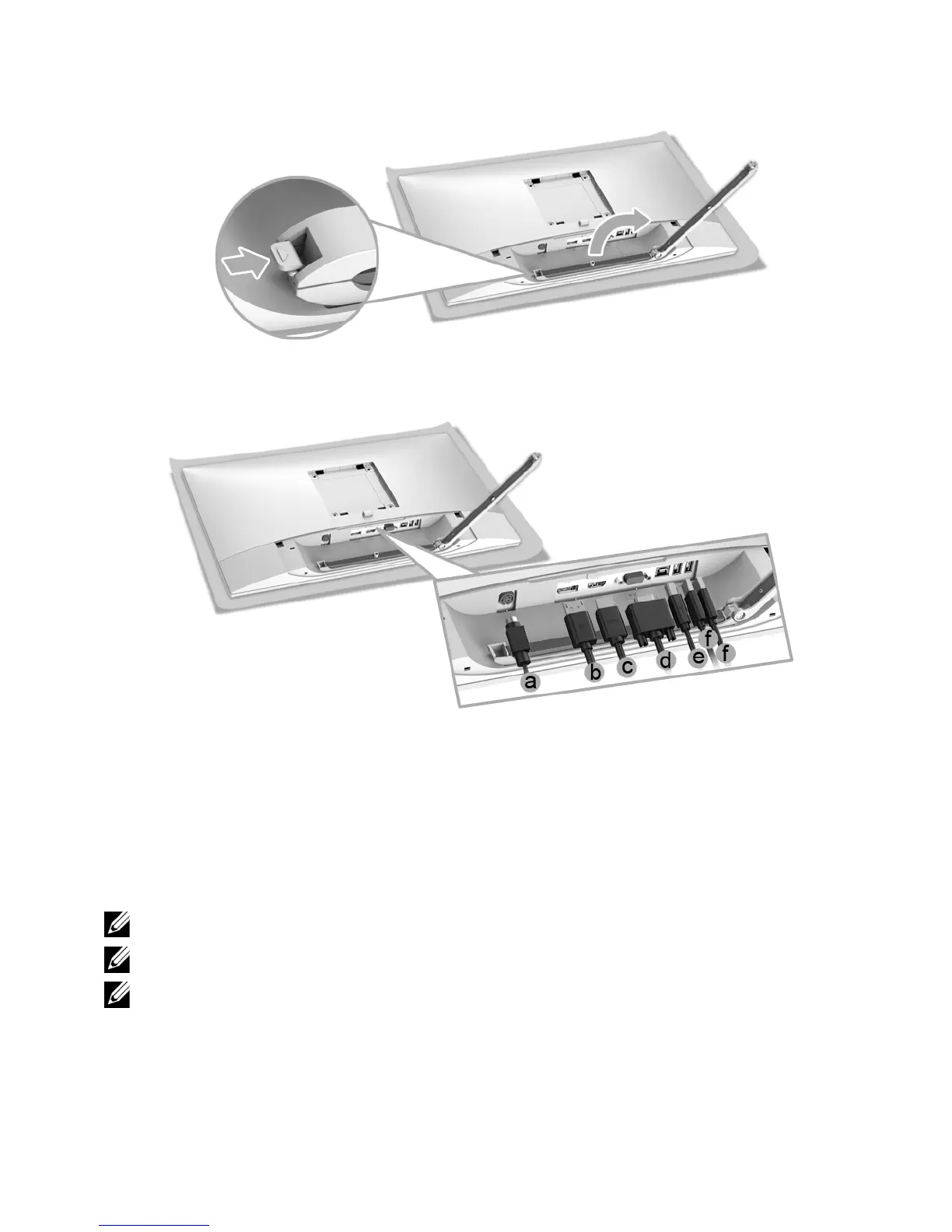
3 Open the cable clip, as illustrated in the figure below.
4 Connect
the
necessary cables to the monitor.
a DC power cable
b DP cable
c HDMI cable
d VGA cable (optional, cable not included)
e USB upstream cable
f USB downstream cables (optional, cable not included)
NOTE: Do not connect
a
ll cables to the computer at the same time.
NOTE: Route
each cable neatly and properly as shown in the illustration.
NOTE: Ensure that the cables are placed in
a balanced arrangement.








 To Next Page