Setting up your wireless mouse │ 7
Setting up your wireless mouse
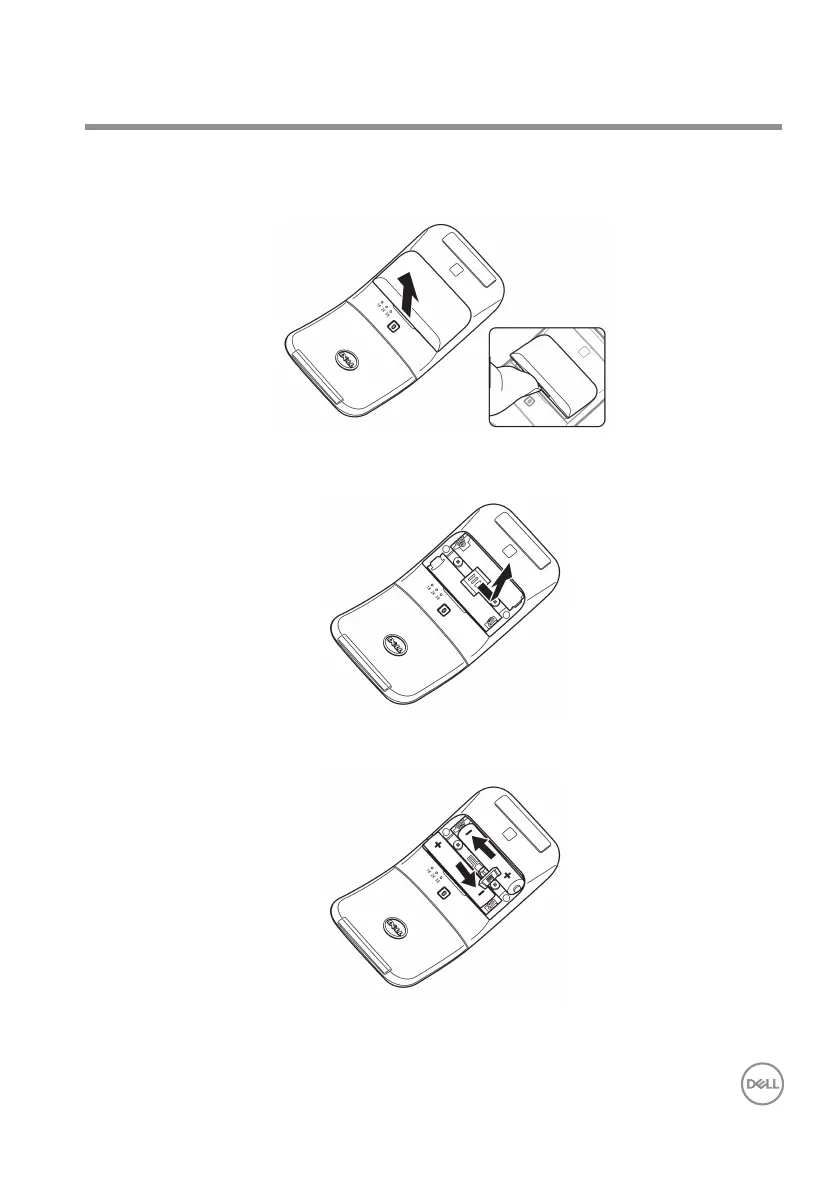
1. Locate the slot at the bottom of the battery compartment cover. Using your
ngertip, pry open the battery compartment cover.
2. Slide and unlock the battery compartment latch.
3. Install the AAA batteries into the battery compartment.



 To Next Page