Advanced Troubleshooting 57
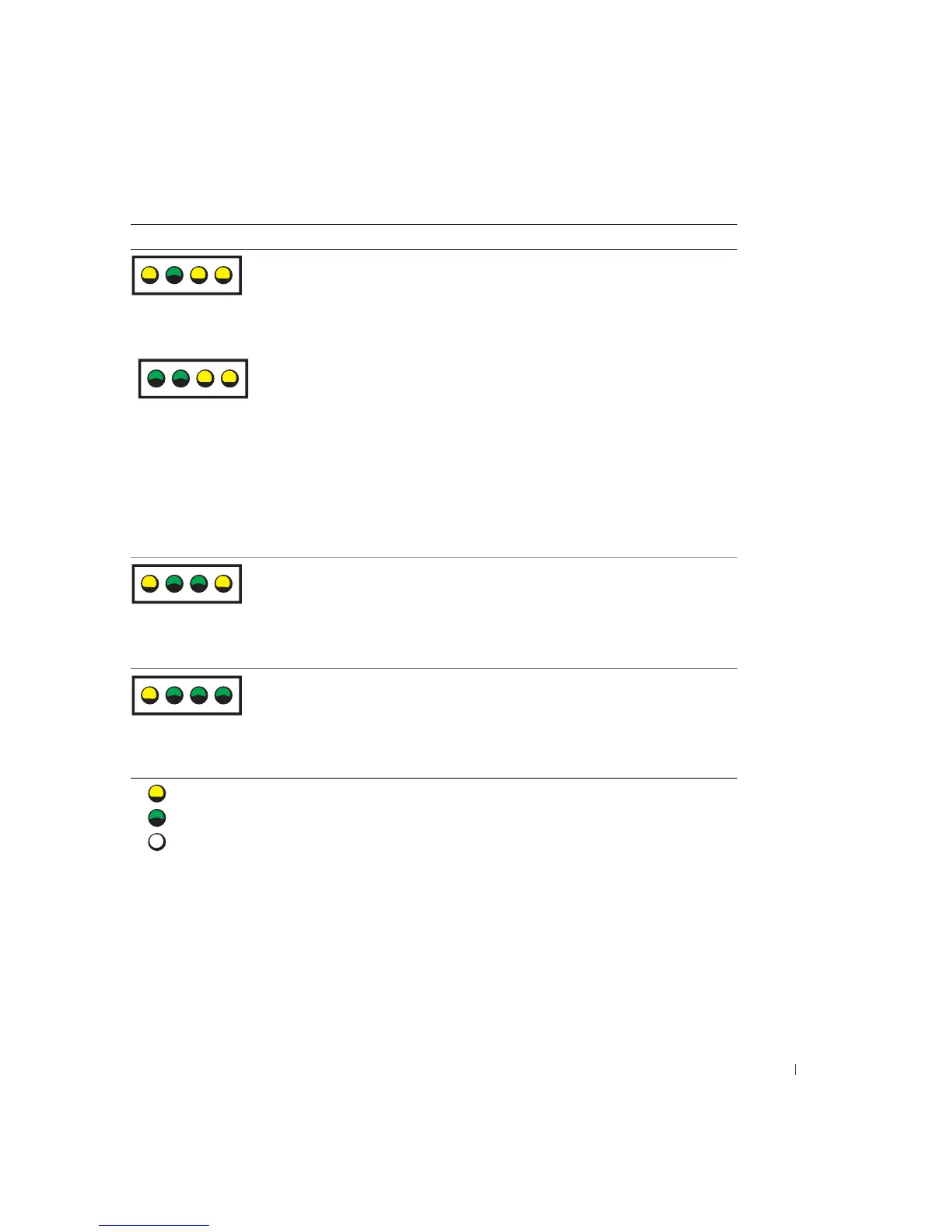
A possible expansion card failure has
occurred.
1 Determine if a conflict exists by
removing a card (not the video
card) and then restarting the
computer (see page 80).
2 If the problem persists, reinstall
the card that you removed, remove
a different card, and then restart
the computer.
3 Repeat this process for each card.
If the computer starts normally,
troubleshoot the last card removed
from the computer for resource
conflicts (see "Resolving Software
and Hardware Incompatibilities"
on page 66).
4 If the problem persists, contact
Dell (see page 107).
A possible floppy or hard drive failure
has occurred.
Reseat all power and data cables and
restart the computer.
A possible USB failure has occurred. Reinstall all USB devices, check cable
connections, and then restart the
computer.
Light Pattern Problem Description Suggested Resolution
= yellow
= green
= off
ABCD
ABCD
ABCD
ABCD













 To Next Page