88 Removing and Installing Parts
www.dell.com | support.dell.com
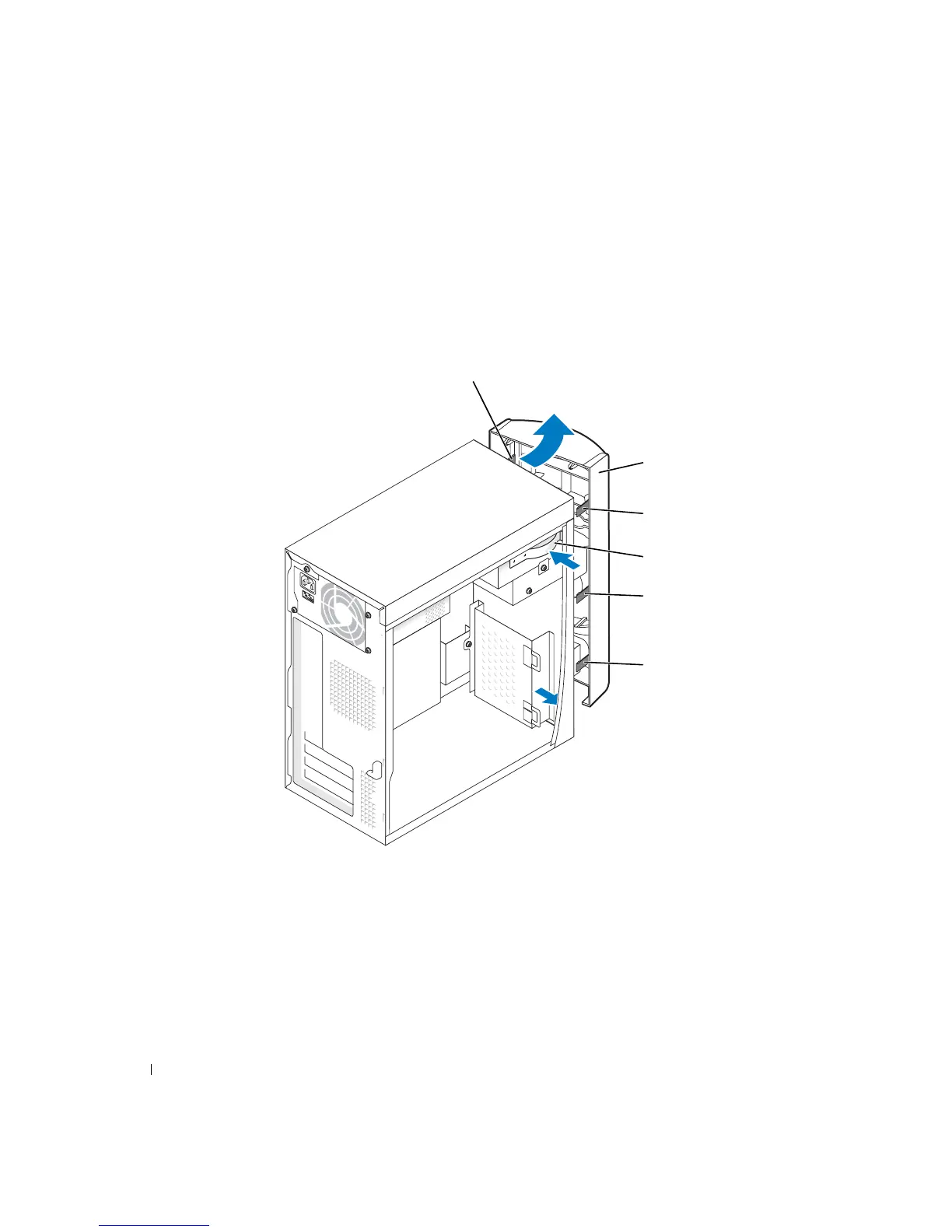
6 Release and remove the front panel:
a Push the release lever to release the top tab.
b Reach inside the computer and push the bottom tab towards you to release it (the
middle tab releases automatically).
c Rotate the front panel to separate it from the side hinges.
side hinges (3)
top tab
front panel
release lever
middle tab
bottom tab













 To Next Page