Steps
1. Place the palm-rest and keyboard assembly on a flat surface and perform the post-requisites to install the palm-rest and
keyboard assembly.
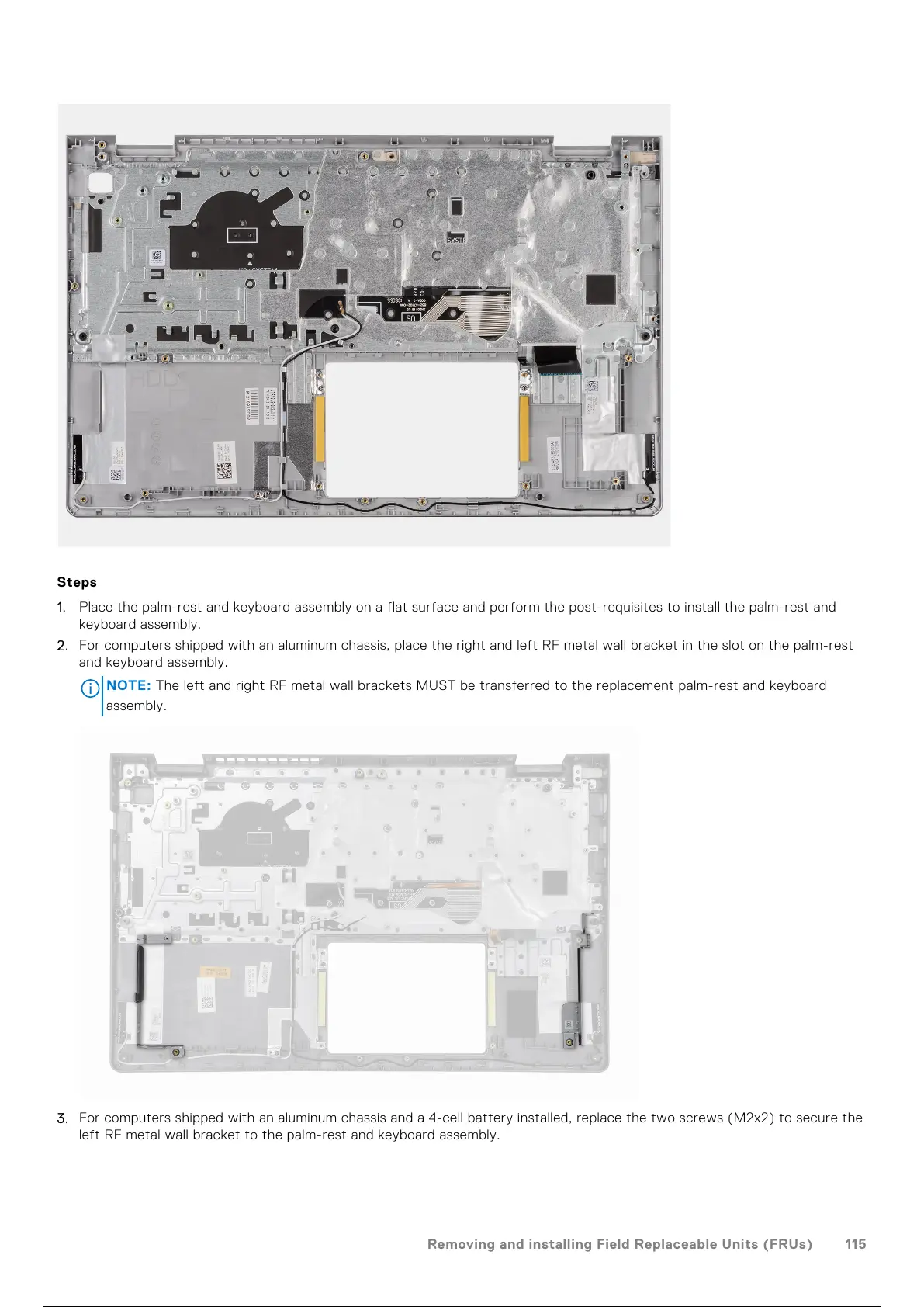
2. For computers shipped with an aluminum chassis, place the right and left RF metal wall bracket in the slot on the palm-rest
and keyboard assembly.
NOTE:
The left and right RF metal wall brackets MUST be transferred to the replacement palm-rest and keyboard
assembly.
3. For computers shipped with an aluminum chassis and a 4-cell battery installed, replace the two screws (M2x2) to secure the
left RF metal wall bracket to the palm-rest and keyboard assembly.
Removing and installing Field Replaceable Units (FRUs)
115
116 / 136 115 / 134 116 / 136



 To Next Page