EasyManua.ls Logo

Dell NOT22366 - User Manual

Dell NOT22366
136 pages
Print Icon
To Next Page IconTo Next Page
Loading...
https://tehnoteka.rs
Uputstvo za upotrebu (EN)
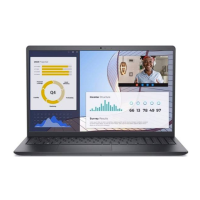
DELL laptop Vostro 3530 (NOT22366)
Tehnoteka je online destinacija za upoređivanje cena i karakteristika bele tehnike,
potrošačke elektronike i IT uređaja kod trgovinskih lanaca i internet prodavnica u Srbiji.
Naša stranica vam omogućava da istražite najnovije informacije, detaljne karakteristike
i konkurentne cene proizvoda.
Posetite nas i uživajte u ekskluzivnom iskustvu pametne kupovine klikom na link:
https://tehnoteka.rs/p/dell-laptop-vostro-3530-not22366-akcija-cena/
1 / 136

Table of Contents

Questions and Answers

  • M
    Mrs. Gloria HallSep 23, 2025
    What to do if my Dell Laptop has a memory/RAM failure?
    • A
      Andrew KingSep 23, 2025
      In case of a memory/RAM failure in your Dell Laptop, try resetting and swapping the memory modules between the slots. If the problem is still present after this, consider replacing the memory module.
  • S
    Shane NguyenSep 23, 2025
    Why does my Dell NOT22366 Laptop say 'BIOS Recovery image not found'?
    • S
      Stephanie MitchellSep 23, 2025
      If your Dell Laptop displays a 'BIOS Recovery image not found' message, attempt to flash the latest BIOS version. If the problem continues, the system board may need to be replaced.
  • R
    Richard GonzalezSep 23, 2025
    What to do if my Dell Laptop has a system board failure (BIOS corruption or ROM error)?
    • M
      Matthew TorresSep 23, 2025
      To resolve a system board failure, including BIOS corruption or ROM errors, on your Dell Laptop, start by flashing the latest BIOS version. If the issue remains after updating the BIOS, replacing the system board is recommended.
  • M
    Melanie ChangSep 23, 2025
    What to do if my Dell NOT22366 Laptop detects Flash corruption?
    • S
      Scott MillerSep 23, 2025
      If your Dell Laptop detects flash corruption, press and hold the power button for over 25 seconds to perform an RTC reset. If that doesn't work, remove all power sources (AC adapter, battery, and coin cell), then drain any remaining power by holding the power button for 3-5 seconds. If the issue persists, the system board may need to be replaced.
  • G
    Gary LopezSep 23, 2025
    Why does my Dell Laptop say 'BIOS Recovery image found but invalid'?
    • D
      Derek GarrettSep 23, 2025
      If your Dell Laptop indicates that the 'BIOS Recovery image was found but is invalid', try flashing the latest BIOS version. If this does not resolve the issue, replacing the system board may be necessary.

Dell NOT22366 Specifications

General IconGeneral
BrandDell
ModelNOT22366
CategoryLaptop
LanguageEnglish

Related product manuals