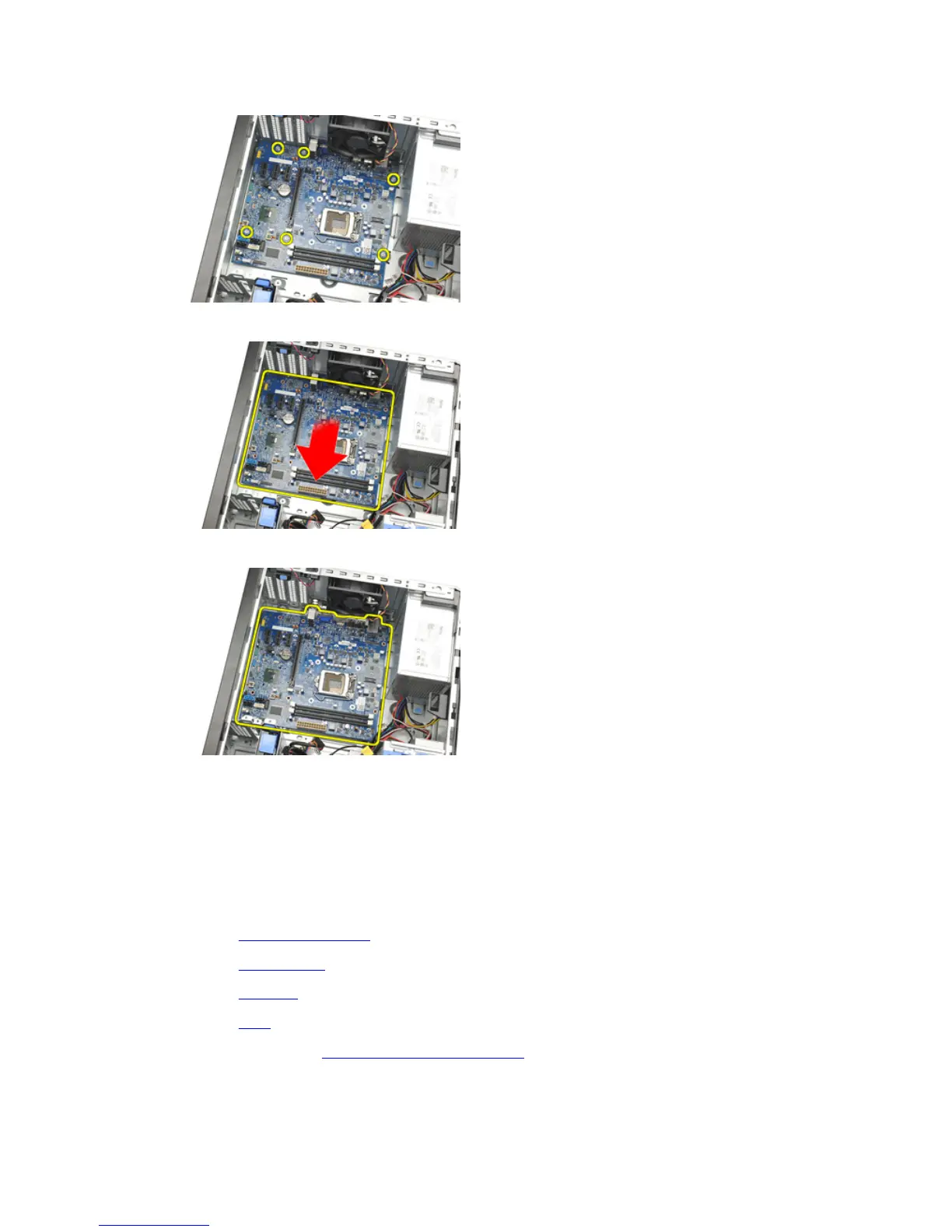
8. Slide the system board towards the front of the computer.
9. Carefully tilt the system board to 45 degrees, and then lift the system board out of the computer.
Installing The System Board
1. Align the system board to the port connectors on the back of the chassis and place the system board in the
chassis.
2. Tighten the screws securing the system board to the chassis.
3. Connect the cables to the system board.
4. Install the heatsink and processor.
5. Install the expansion card.
6. Install the front bezel.
7. Install the cover.
8. Follow the procedures in After Working Inside Your Computer.
29











 To Next Page