EasyManua.ls Logo

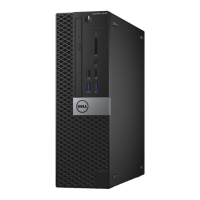
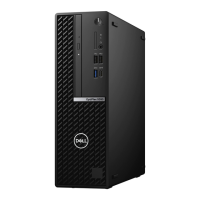
Dell OptiPlex 5090 Small Form Factor - User Manual

Dell OptiPlex 5090 Small Form Factor
91 pages
Print Icon
To Next Page IconTo Next Page
Loading...
OptiPlex 5090 Small Form Factor
Service Manual
Regulatory Model: D15S
Regulatory Type: D15S004
April 2021
Rev. A00

Table of Contents

Questions and Answers

  • S
    Sherri DavenportSep 22, 2025
    What to do if my Dell Water Filtration System has a BIOS recovery image not found error?
    • C
      Crystal CoffeySep 22, 2025
      If your Dell Water Filtration System displays a 'BIOS recovery image not found' error, flash the latest BIOS version. If the issue persists, replace the system board.
  • T
    Tyler NunezSep 23, 2025
    What to do if my Dell Water Filtration System has a BIOS recovery image found but invalid error?
    • S
      Sharon GraySep 23, 2025
      If your Dell Water Filtration System indicates that the BIOS recovery image was found but is invalid, flash the latest BIOS version. If the problem continues, replace the system board.
  • C
    Charles OwensSep 23, 2025
    What should I do if my Dell Water Filtration System has a CPU power cable connection issue?
    • H
      Hailey MorganSep 23, 2025
      If you suspect a CPU power cable connection issue with your Dell Water Filtration System, run PSU BIST. Remove and reconnect the power cables. If the problem continues, replace the system board or PSU based on the diagnostics run.
  • T
    Tony AvilaSep 23, 2025
    What to do if Dell Desktop shows 'Memory Allocation Error'?
    • G
      Gary StokesSep 23, 2025
      If your Dell Desktop displays a 'Memory Allocation Error', the software you are attempting to run is conflicting with the operating system, another program, or a utility. Shut down the computer, wait for 30 seconds, and then restart it. Run the program again. If the error message still appears, see the software documentation.
  • A
    Alyssa BanksSep 23, 2025
    What does 'Bad Command or File Name' mean on Dell Desktop?
    • L
      Logan CareySep 23, 2025
      If your Dell Desktop displays 'Bad Command or File Name', ensure that you have spelled the command correctly, put spaces in the proper place, and used the correct path name.
  • V
    vvelasquezSep 23, 2025
    What to do if my Dell Desktop cannot find the hard drive?
    • S
      Sandra NicholsSep 23, 2025
      If your hard drive is the boot device, ensure it is installed, properly seated, and partitioned as a boot device.
  • P
    pamelasanchezSep 23, 2025
    What to do if one or more memory modules are faulty in Dell OptiPlex 5090 Small Form Factor Desktop?
    • A
      Ashley SandersSep 23, 2025
      Reinstall the memory modules. If the problem persists, replace the faulty memory modules in your Dell Desktop.
  • G
    George CampbellSep 23, 2025
    What to do if Dell OptiPlex 5090 Small Form Factor Desktop has no memory/RAM detected?
    • M
      Mrs. Lauren ThomasSep 23, 2025
      Confirm that the memory module in your Dell Desktop is installed properly. If the issue persists, replace the memory module.
  • W
    wellscatherineSep 23, 2025
    What to do if Dell Desktop has memory/RAM failure?
    • E
      Emily CarterSep 23, 2025
      Reset the memory module in your Dell Desktop. If the problem continues, replace the memory module.
  • M
    morenokatrinaSep 23, 2025
    What to do if a memory module is loose in Dell OptiPlex 5090 Small Form Factor?
    • B
      Bridget CarrSep 23, 2025
      Reinstall the memory module or, if necessary, replace it in your Dell Desktop.

Dell OptiPlex 5090 Small Form Factor Specifications

General IconGeneral
BrandDell
ModelOptiPlex 5090 Small Form Factor
CategoryDesktop
LanguageEnglish

Related product manuals