EasyManua.ls Logo

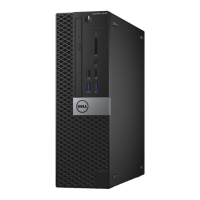
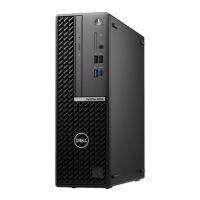
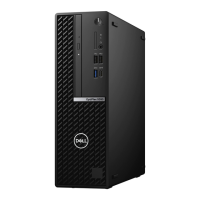
Dell OptiPlex 5090 Small Form Factor - User Manual

Dell OptiPlex 5090 Small Form Factor
91 pages
Print Icon
To Next Page IconTo Next Page
Loading...
OptiPlex 5090 Small Form Factor
Service Manual
Regulatory Model: D15S
Regulatory Type: D15S004
April 2021
Rev. A00

Table of Contents

Questions and Answers

  • T
    Tammy OliverSep 6, 2025
    Why does my Dell OptiPlex 5090 Small Form Factor Desktop have 'Memory configuration or incompatible error'?
    • D
      Donna OwensSep 7, 2025
      Memory subsystem configuration activity is in progress. If you can assist with troubleshooting, try removing the memory modules one by one on the motherboard to determine which one failed. Also, combine the configuration to validate the appropriate combination.
  • M
    Martin McculloughSep 4, 2025
    What to do if my Dell Desktop has Intel ME (Management Engine) time-out error?
    • M
      Michelle FarleySep 4, 2025
      Timeout waiting on ME to reply to HECI message. If the problem persists, replace the system board.
  • P
    phillipschelseaSep 23, 2025
    What to do for System board failure (included BIOS corruption or ROM error) in Dell OptiPlex 5090 Small Form Factor Desktop?
    • R
      Robert ThompsonSep 23, 2025
      Flash the latest BIOS version on your Dell Desktop. If the problem persists, replace the system board.
  • A
    Angela JohnsonAug 27, 2025
    What causes power rail failure on Dell Desktop?
    • S
      Samantha GlassAug 27, 2025
      If your Dell Desktop experiences a power rail failure, it means that EC ran into power sequencing failure. If the problem persists, replace the system board.
  • T
    Timothy MaldonadoAug 27, 2025
    What to do if auxiliary device failure on Dell Desktop?
    • J
      Joseph ParsonsAug 27, 2025
      If your Dell Desktop experiences an auxiliary device failure, the touchpad or external mouse may be faulty. For an external mouse, check the cable connection. Enable the Pointing Device option in the System Setup program.
  • A
    April ReeseAug 27, 2025
    What does no timer tick interrupt mean on Dell OptiPlex 5090 Small Form Factor Desktop?
    • U
      uriveraAug 27, 2025
      If your Dell Desktop shows 'No timer tick interrupt', a chip on the system board may be malfunctioning. Run the System Set tests in Dell Diagnostics.
  • M
    Michael ChanSep 14, 2025
    How to fix keyboard clock line failure on Dell OptiPlex 5090 Small Form Factor?
    • K
      Kelsey HutchinsonSep 14, 2025
      If your Dell Desktop displays 'KEYBOARD CLOCK LINE FAILURE', and you're using an external keyboard, check the cable connection. Run the Keyboard Controller test in Dell Diagnostics.
  • A
    Adrian KelleySep 9, 2025
    How to resolve 'The File Being Copied Is Too Large' error on Dell OptiPlex 5090 Small Form Factor?
    • A
      Amber MartinSep 9, 2025
      If your Dell Desktop displays the error 'The File Being Copied Is Too Large For The Destination Drive', the file you're trying to copy is too large to fit on the disk, or the disk is full. Try copying the file to a different disk or use a larger capacity disk.
  • S
    Seth GarciaSep 18, 2025
    How to fix drive not ready error on Dell Desktop?
    • J
      juarezsaraSep 18, 2025
      If your Dell Desktop displays 'DRIVE NOT READY', install a hard drive in the hard drive bay.
  • D
    Destiny ClarkSep 4, 2025
    What to do if my Dell OptiPlex 5090 Small Form Factor has Flash corruption detected by SBIOS?
    • J
      John AverySep 4, 2025
      Flash corruption was detected by SBIOS. If the problem persists, replace the system board.

Dell OptiPlex 5090 Small Form Factor Specifications

General IconGeneral
BrandDell
ModelOptiPlex 5090 Small Form Factor
CategoryDesktop
LanguageEnglish

Related product manuals