EasyManua.ls Logo

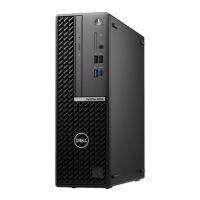
Dell OptiPlex 5090 Small Form Factor - User Manual

Dell OptiPlex 5090 Small Form Factor
91 pages
Print Icon
To Next Page IconTo Next Page
Loading...
OptiPlex 5090 Small Form Factor
Service Manual
Regulatory Model: D15S
Regulatory Type: D15S004
April 2021
Rev. A00

Table of Contents

Questions and Answers

  • A
    April ReeseAug 27, 2025
    What does no timer tick interrupt mean on Dell OptiPlex 5090 Small Form Factor Desktop?
    • U
      uriveraAug 27, 2025
      If your Dell Desktop shows 'No timer tick interrupt', a chip on the system board may be malfunctioning. Run the System Set tests in Dell Diagnostics.
  • E
    Erin ChaseSep 18, 2025
    What to do if Dell OptiPlex 5090 Small Form Factor shows 'Invalid Configuration Information'?
    • B
      Brandon GallegosSep 18, 2025
      If your Dell Desktop displays 'Invalid Configuration Information', it means the system configuration information doesn't match the hardware configuration. Correct the appropriate options in the system setup program to resolve this.
  • B
    Brian MataSep 23, 2025
    What to do if no memory/RAM is detected in my Dell Water Filtration System?
    • T
      Terry SullivanSep 23, 2025
      If your Dell Water Filtration System isn't detecting memory/RAM, first ensure the memory module is properly installed. If the problem continues, you may need to replace the memory module.
  • S
    Steven LewisSep 14, 2025
    How to fix keyboard controller failure on Dell OptiPlex 5090 Small Form Factor Desktop?
    • J
      jmillerSep 14, 2025
      If your Dell Desktop displays 'KEYBOARD CONTROLLER FAILURE', and you use an external keyboard, check the cable connection. Restart the computer, and avoid touching the keyboard or the mouse during the boot routine.
  • M
    Michael ChanSep 14, 2025
    How to fix keyboard clock line failure on Dell OptiPlex 5090 Small Form Factor?
    • K
      Kelsey HutchinsonSep 14, 2025
      If your Dell Desktop displays 'KEYBOARD CLOCK LINE FAILURE', and you're using an external keyboard, check the cable connection. Run the Keyboard Controller test in Dell Diagnostics.
  • M
    Martin McculloughSep 4, 2025
    What to do if my Dell Desktop has Intel ME (Management Engine) time-out error?
    • M
      Michelle FarleySep 4, 2025
      Timeout waiting on ME to reply to HECI message. If the problem persists, replace the system board.
  • M
    Michael WiseAug 28, 2025
    Why does my Dell OptiPlex 5090 Small Form Factor Desktop say 'CMOS checksum error'?
    • M
      Matthew VaughnAug 28, 2025
      This message indicates that the RTC is reset, and the BIOS Setup default has been loaded.
  • C
    Caleb VelasquezAug 28, 2025
    What does it mean if my Dell OptiPlex 5090 Small Form Factor displays 'CPU fan failure'?
    • N
      Nathan BrownAug 28, 2025
      This message indicates that the CPU fan has failed.
  • A
    April ThomasAug 28, 2025
    What does it mean if my Dell Desktop displays 'System fan failure'?
    • S
      Scott Taylor DDSAug 29, 2025
      This message indicates that the system fan has failed.
  • A
    Andrew FergusonSep 18, 2025
    What to do if my Dell OptiPlex 5090 Small Form Factor has decreasing available memory?
    • J
      Jennifer WintersSep 18, 2025
      If your Dell Desktop shows decreasing available memory, it may be due to faulty or improperly seated memory modules. Reinstall the memory modules, or replace them if necessary.

Dell OptiPlex 5090 Small Form Factor Specifications

General IconGeneral
BrandDell
ModelOptiPlex 5090 Small Form Factor
CategoryDesktop
LanguageEnglish

Related product manuals