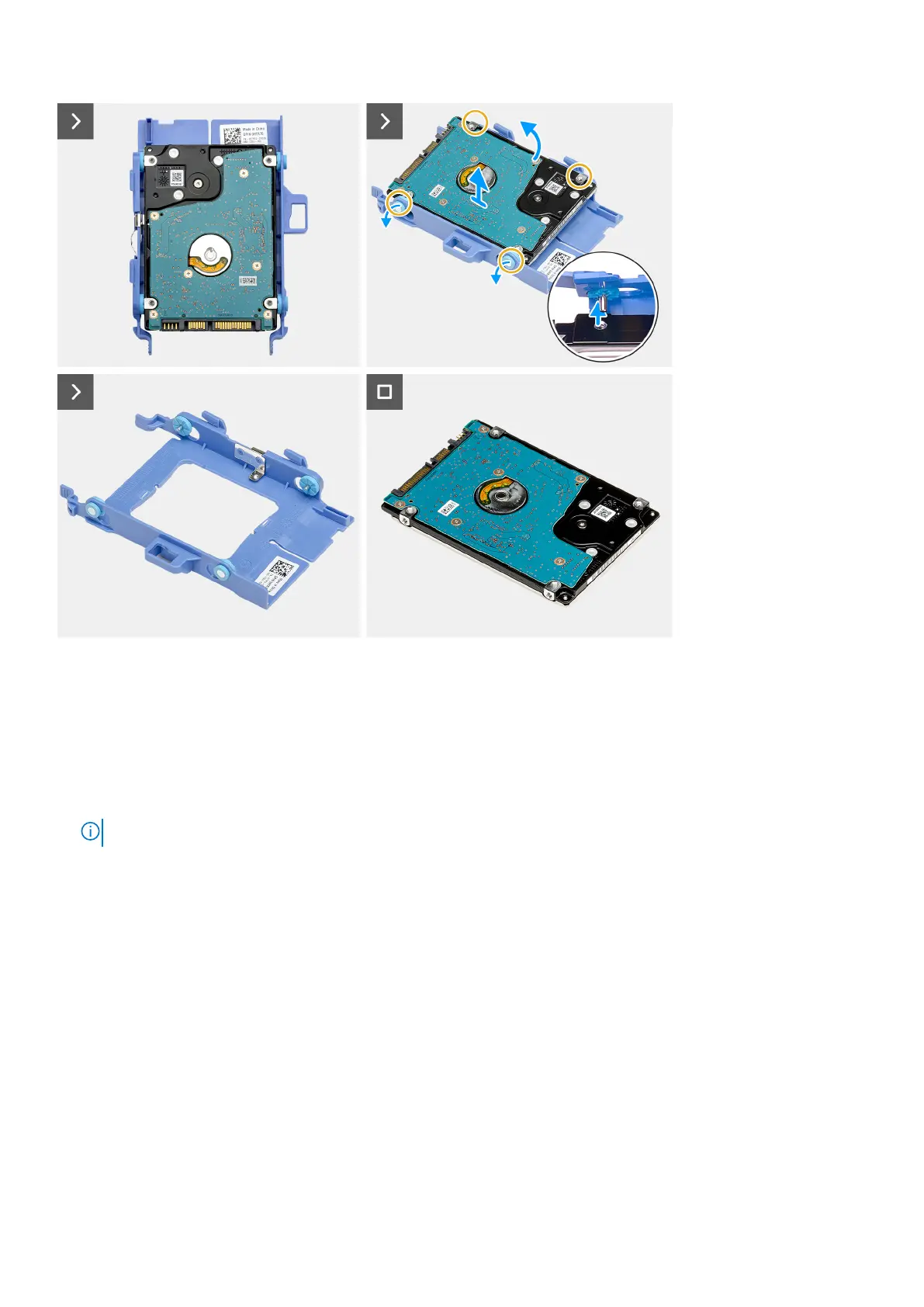
Steps
1. Press and hold the tab that secures the hard-drive assembly to the chassis.
2. Slide and release the hard drive assembly from the chassis.
3. Lift the hard-drive assembly off the chassis.
4. Flip over the hard-drive assembly.
5. Pry the hard-drive carrier to release the tabs on the carrier from the slots on the 2.5-inch hard drive.
6. Lift the 2.5-inch hard drive off the hard-drive carrier.
NOTE: Note the orientation of the hard drive so that you can replace it correctly.
Installing the hard drive
Prerequisites
If you are replacing a component, remove the existing component before performing the installation process.
About this task
The following image(s) indicate the location of the hard drive and provides a visual representation of the installation procedure.
38
Removing and installing Customer Replaceable Units (CRUs)












 To Next Page