OptiPlex Micro Dual Vesa Mount
Steps
1. Follow the instructions in Before working inside your computer.
2. Place the monitor on a soft cloth or cushion.
3. Remove the monitor back cover.
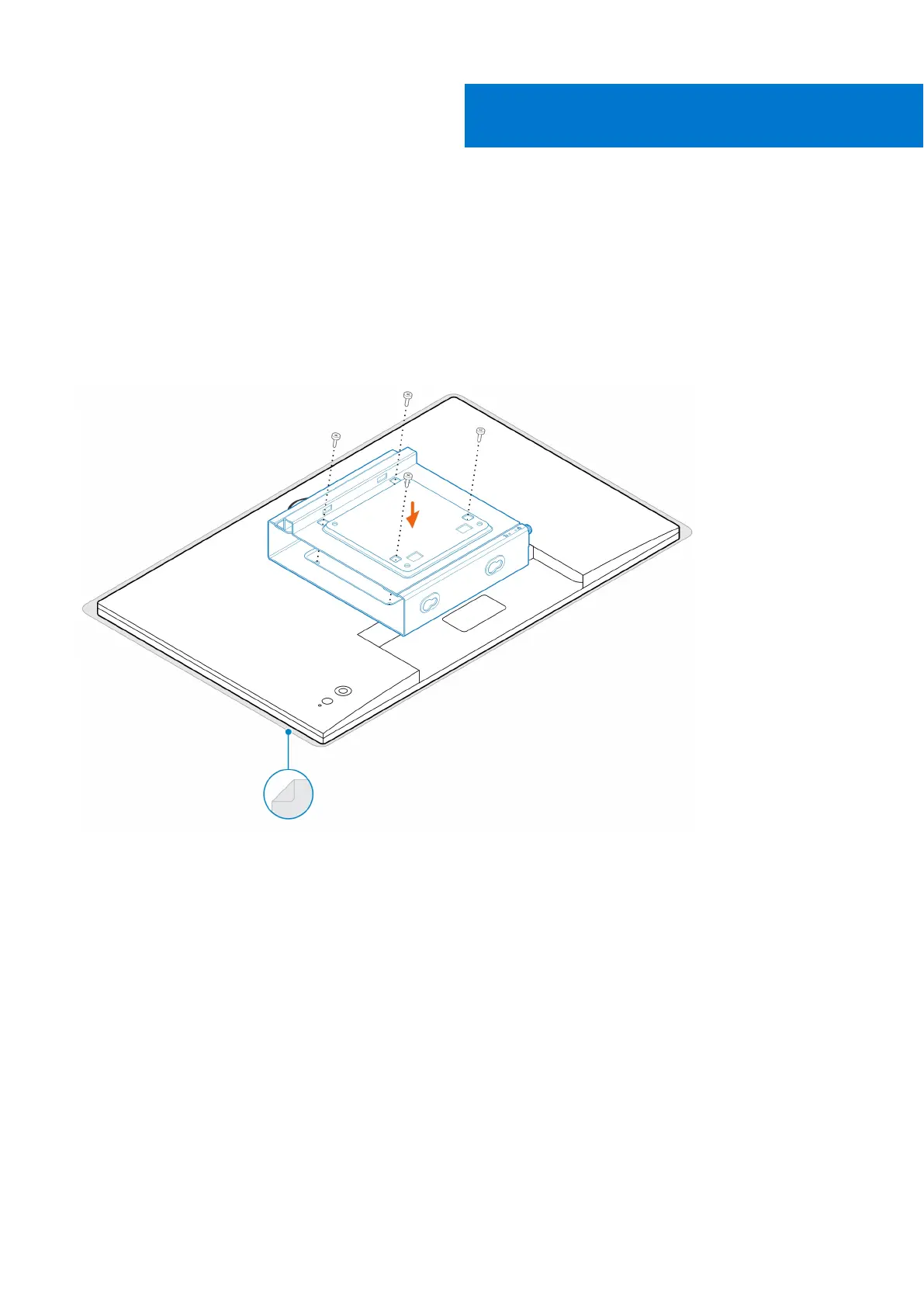
4. Install the four screws (M4x10) to secure the VESA mount on the monitor.
5. Slide the computer into the VESA mount.
6. Tighten the thumbscrew to secure the computer to the VESA mount
6
OptiPlex Micro Dual Vesa Mount 27






 To Next Page