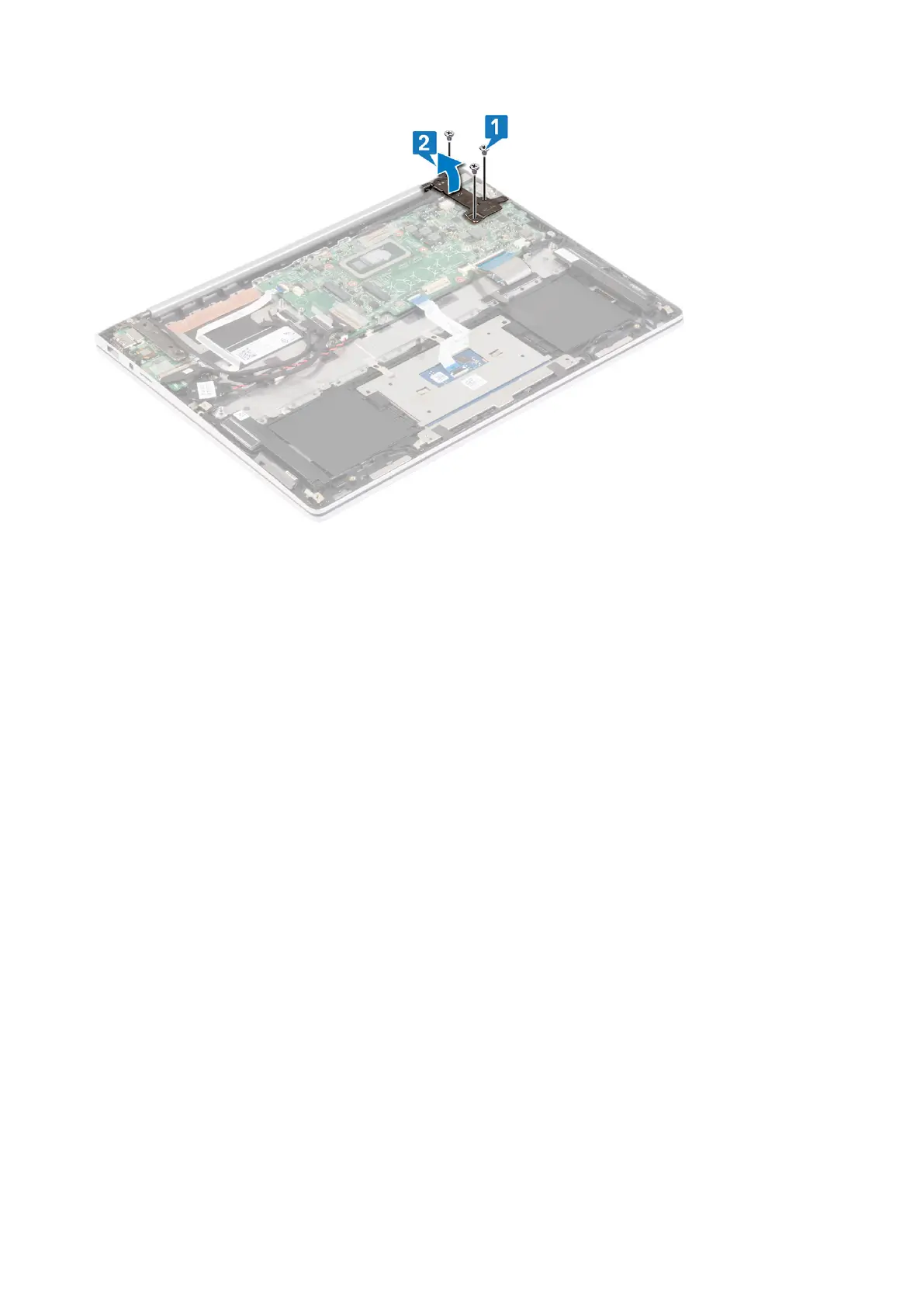
3. Peel the tape that secures the display cable to the system board.
4. Open the latch and disconnect the display cable from the system board.
5. Peel the tape that secures the display cable to the system board.
6. Disconnect the power-adapter port cable from the system board.
7. Peel the tape that secures the speaker cable to the connector.
8. Disconnect the speaker cable from the system board.
9. Open the latch, and disconnect the keyboard cable from the system board.
10. Open the latch, and disconnect the keyboard-backlight cable from the system board.
11. Open the latch, and disconnect the touchpad cable from the system board.
12. Disconnect the coin-cell battery cable from the system board.
13. Peel the tape that secures the I/O-board cable to the system board.
14. Open the latch and disconnect the I/O-board cable from the system board.
15. Peel the tape that secures the touch-screen board cable to the system board.
16. Open the latch and disconnect the touch-screen board cable from the system board.
17. Open the latch and disconnect the fingerprint-reader cable from the system board.
54
Removing the system board



 To Next Page