Operating the Monitor:Dell P170S/P190S Flat Panel Monitor User's Guide
file:///S|/SSA_Proposal/P170S_P190S/UG/operate.htm[7/8/2011 4:48:31 PM]
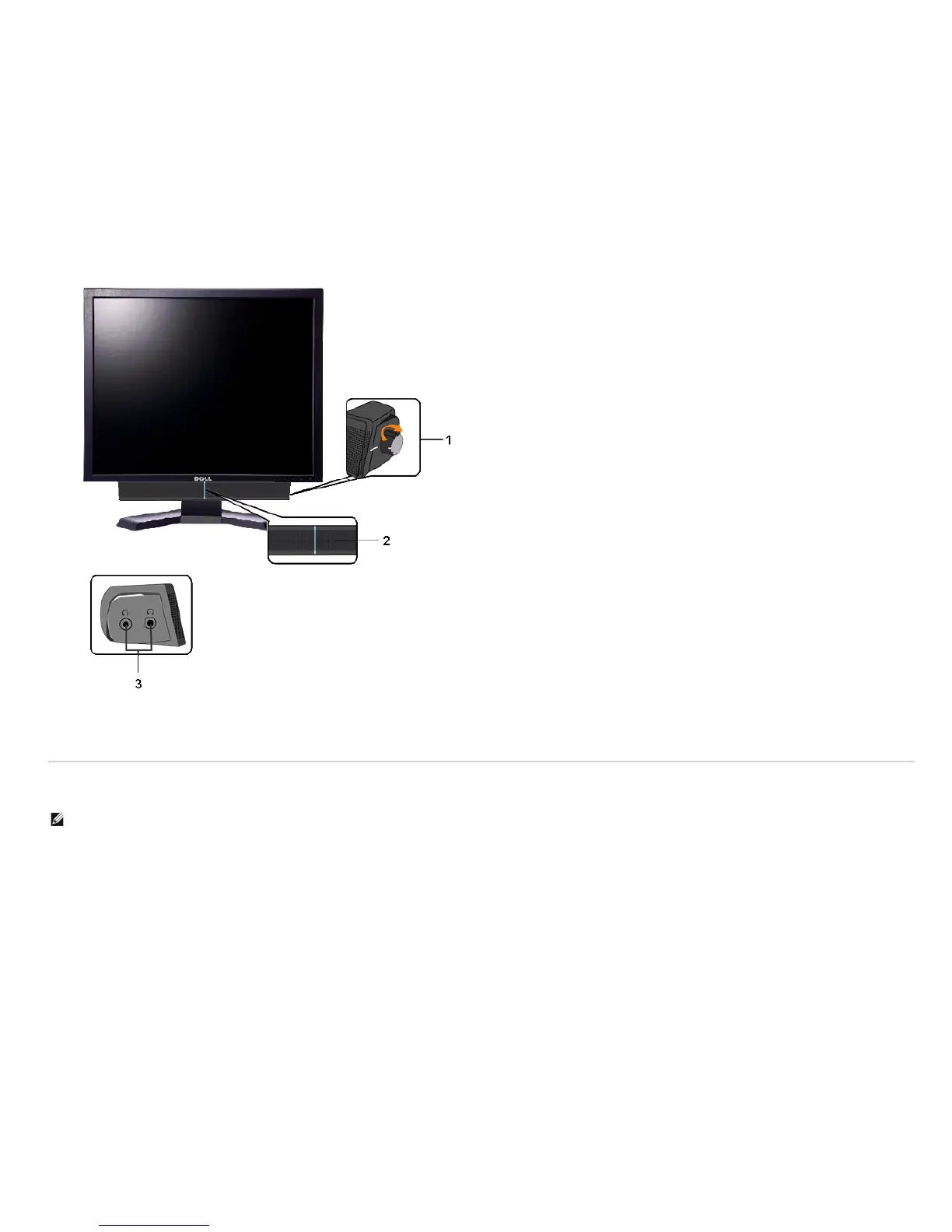
1. Power/volume control
2. Power indicator
3. Headphone connectors
Using the Tilt, Swivel, and Vertical Extension
NOTE: This is applicable for a monitor with a stand. When the OptiPlex™ USFF 780/OptiPlex™ SFF 980 AIO Stand is bought, please refer to the respective AIO stand setup guide for set up
instructions.
Tilt/Swivel
With the built-in stand, you can tilt and/or swivel the monitor for the most comfortable viewing angle.


 To Next Page