32 │ Setting up the monitor
Setting up the monitor
Attaching the stand
NOTE: The stand is not installed at the factory when shipped.
NOTE: The following instructions are applicable only for attaching the
stand that was shipped with your monitor. If you are attaching a stand
that you purchased from any other source, follow the setup
instructions available with the stand.
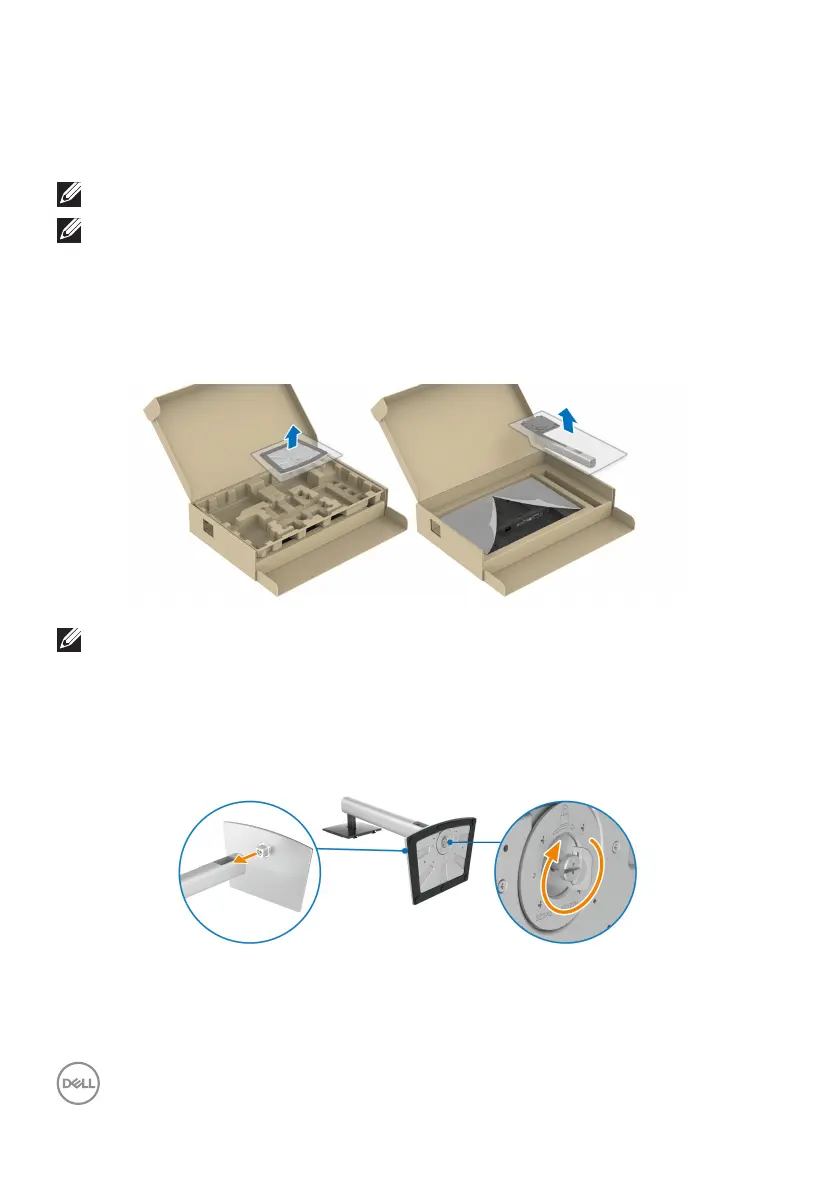
To attach the monitor stand:
1. R
emove the stand base and stand riser from the packaging cushion.
NOTE: The graphics are used for the purpose of illustration only. The
appearance of the package cushion may vary.
2. I
nsert the stand base blocks fully into the stand slot.
3. L
ift the screw handle and turn the screw clockwise.
4. A
fter fully tightening the screw, fold the screw handle flat within the recess.



 To Next Page