42 │ Operating the monitor
Using the On-Screen Display (OSD) menu
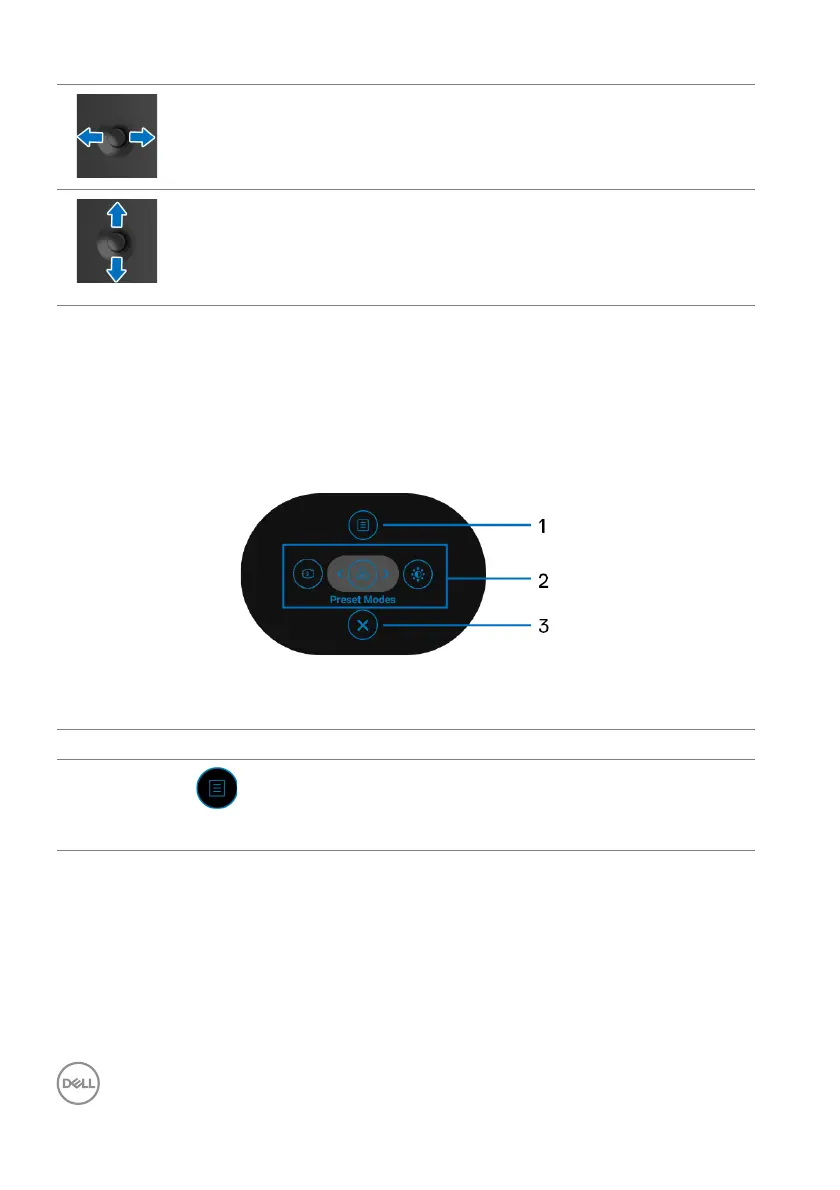
Accessing the Menu Launcher
When you move or press the joystick, the Menu
Launcher appears to let you access
the OSD main menu and shortcut functions,
To select a function, move the joystick.
The following table describes the Menu Launcher functions:
• For 2-way (right and left) directional navigation.
• Move right to enter the submenu.
• Move left to exit from the submenu.
• For 2-way (up and down) directional navigation.
• Toggles between the menu items.
• Increases (up) or decreases (down) the parameters of selected
me
nu item.
Label Icon Description
1
Menu
To launch the On-Screen Display (OSD) main menu.
Se
e Accessing the menu system.



 To Next Page