Setting up the monitor │ 39
Removing the monitor stand
NOTE: To prevent scratches on the LCD screen when removing the
stand, ensure that the monitor is placed on a soft, clean surface.
NOTE: The following instructions are applicable only for removing the
stand that was shipped with your monitor. If you are removing a stand
that you purchased from any other source, follow the setup
instructions available with the stand.
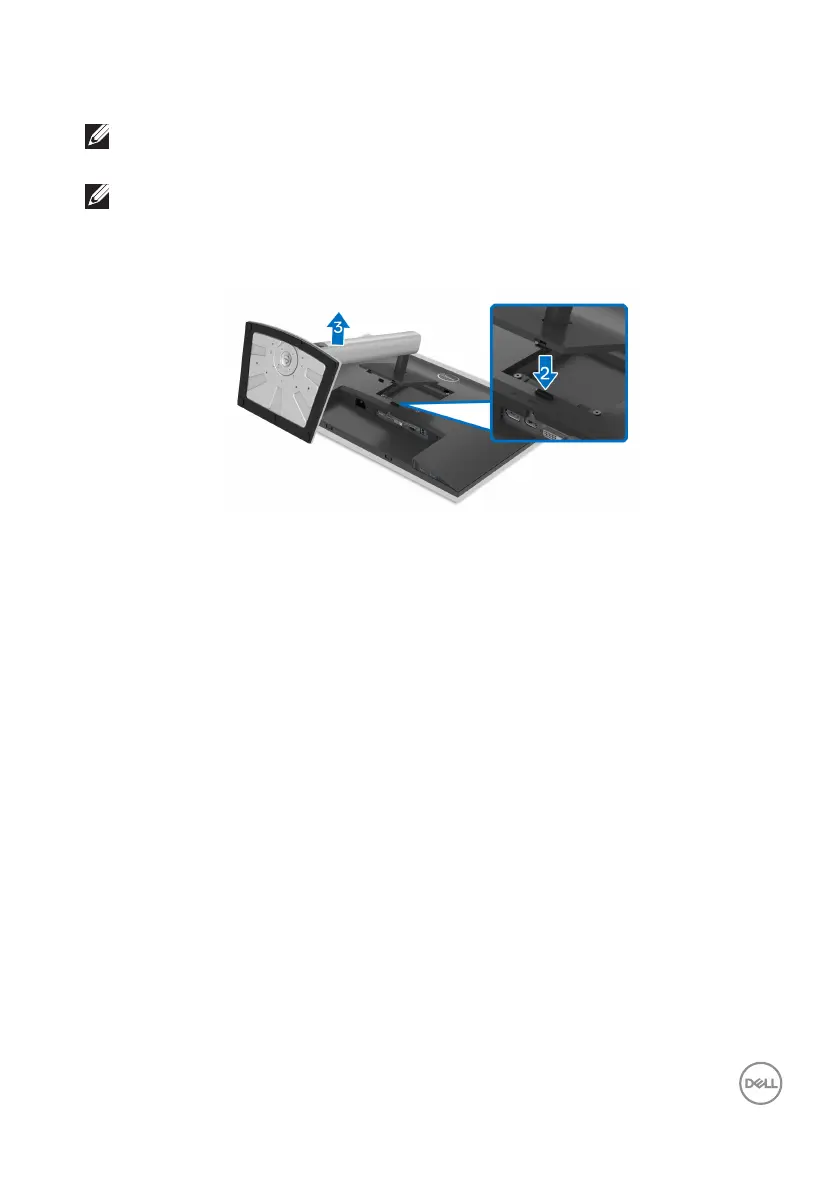
To remove the stand:
1. Pl
ace the monitor on a soft cloth or cushion.
2. Pr
ess and hold the stand release button.
3. L
ift the stand up and away from the monitor.



 To Next Page