52 │ Operating the monitor
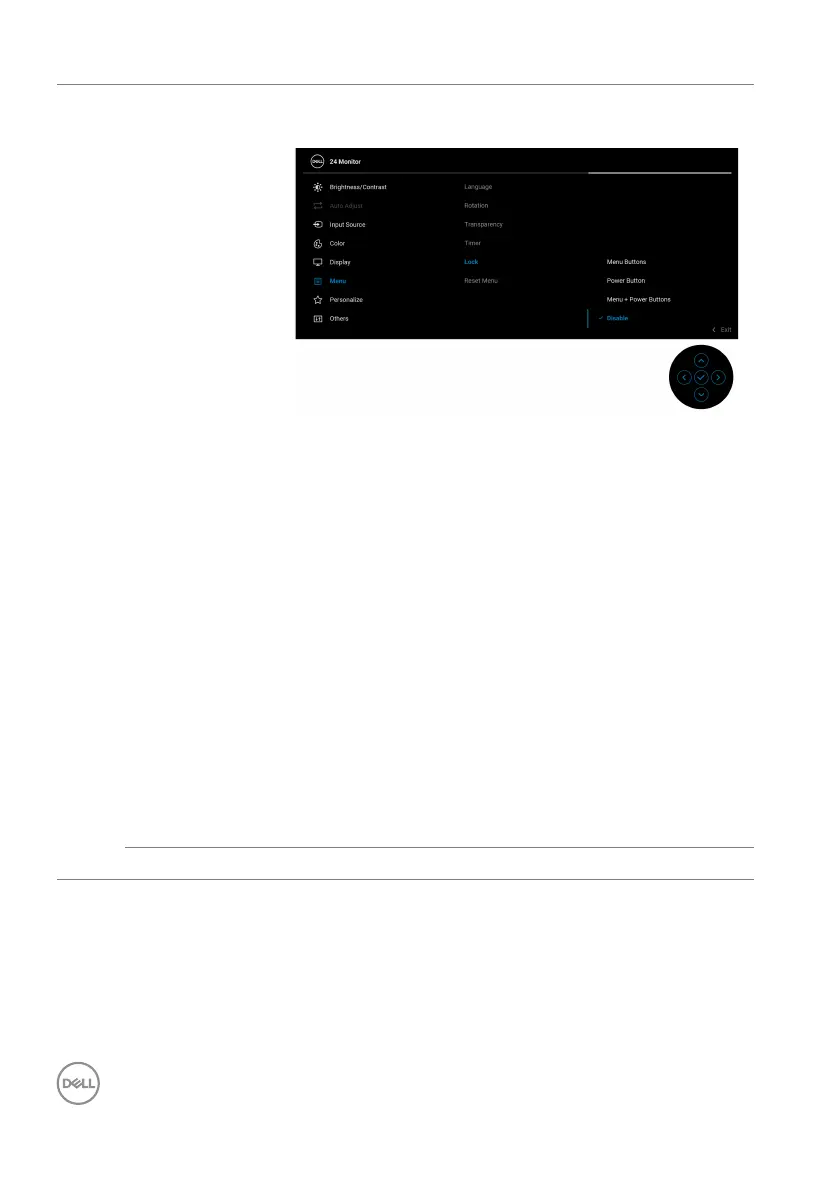
Lock With the control buttons on the monitor locked, you
can prevent people from accessing the controls.
• Menu Buttons: All joystick functions are locked
and not accessible by the user.
• Po
wer Button: Only the Power button is locked
and not accessible by the user.
• Menu
+ Power Buttons: Both the joystick &
Power button are locked and not accessible by the
user.
The default setting is Disab
le.
Alternative Lock Method: You can move and hold the
jo
ystick up/down/left/right for 4 seconds to set the
lock options via the pop-up menu, and then press the
joystick to confirm the configuration.
NOTE: T
o unlock, move and hold the joystick up/
down/left/right for 4 seconds, and then press the
joystick to confirm to unlock and close the pop-up
menu.
Reset Menu Resets all OSD settings to the factory preset values.



 To Next Page