Using the printer control panel buttons
and menus
Using the printer control panel
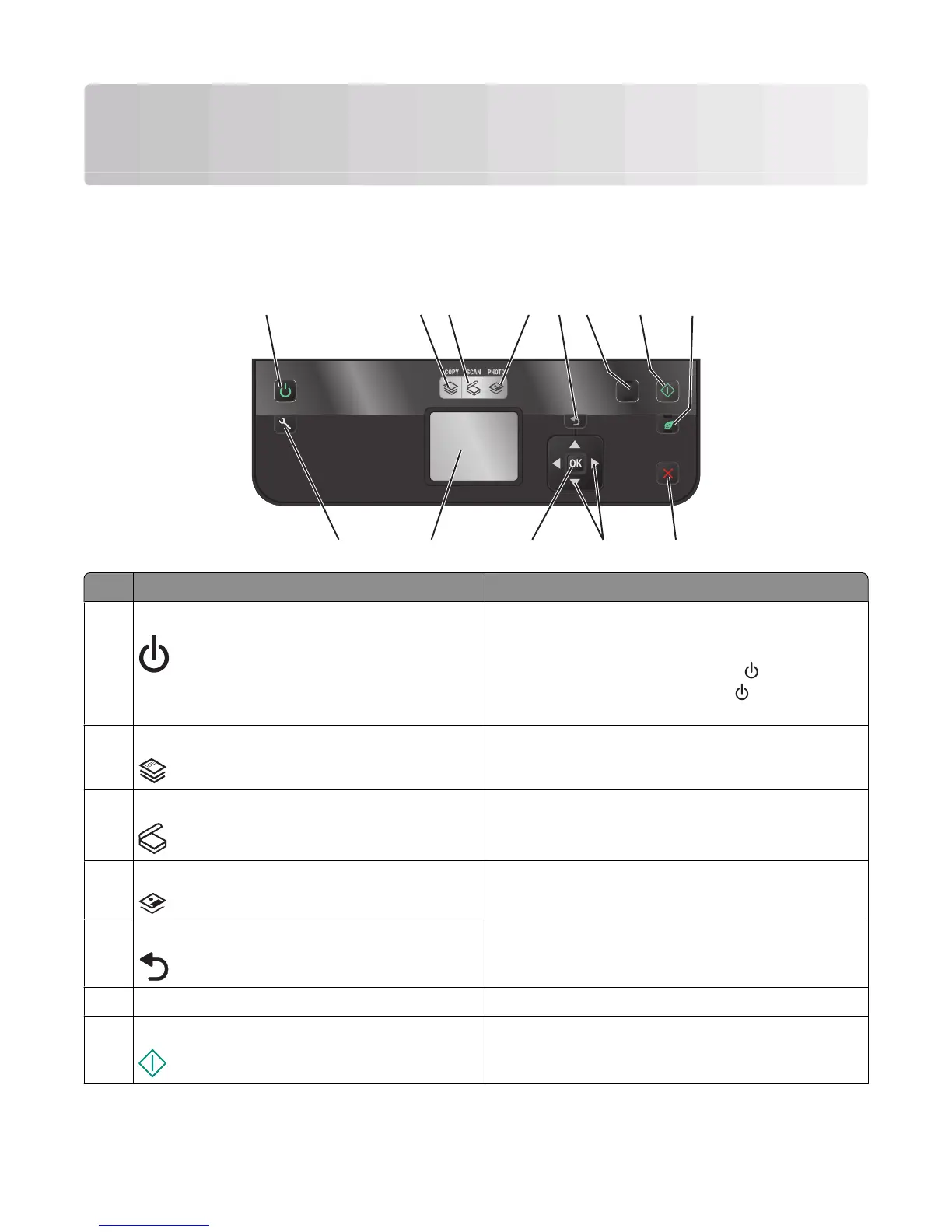
The following diagrams explain the sections of the printer control panel:
1
COLOR
BLACK
2-Sided
Eco-Mode
ON
Setup
START
2 3 4 6
91012
5
1113
78
Use To
1
Power
• Turn the printer on and off.
• Switch to Power Saver mode.
Note: When the printer is on, press
to switch to
Power Saver mode. Press and hold
for three seconds
to turn off the printer.
2 Copy Access the copy menu and make copies.
3
Scan Access the scan menu and scan documents.
4
Photo Access the photo menu and print photos.
5
Back
• Return to the previous screen.
• Exit from one menu level to a higher one.
6 Color/Black Switch to color mode or black-and-white mode.
7
Start Start a print, scan, or copy job, depending on which mode
is selected.
Using the printer control panel buttons and menus
13













 To Next Page