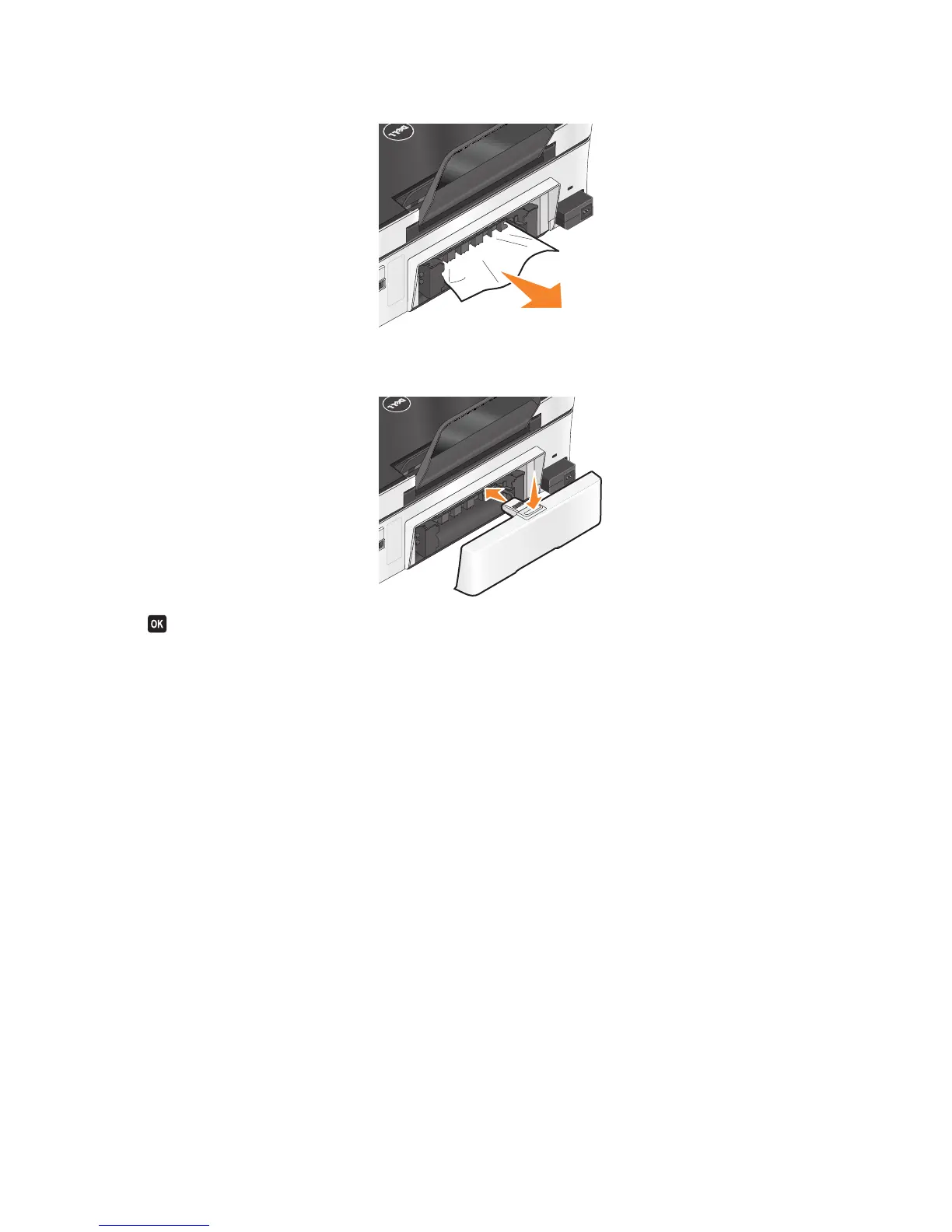
2 Firmly grasp the paper, and gently pull it out.
3 Push down the duplex latch and reinsert the duplex unit.
4 Press .
5 From your computer, resume the print job.
Paper or specialty media misfeeds
These are possible solutions if paper or specialty media misfeeds or skews, or if multiple sheets feed or stick together.
Try one or more of the following:
CHECK PAPER CONDITION
Use only new, unwrinkled paper.
CHECK PAPER LOADING
• Load a smaller amount of paper into the printer.
• Load paper with the print side faceup. (If you are not sure which side is the printable side, see the instructions
that came with the paper.)
• Check the loading instructions for your paper or specialty media.
REMOVE EACH PAGE AS IT IS PRINTED
ADJUST THE PAPER GUIDES TO FIT THE LOADED PAPER
Troubleshooting
82













 To Next Page