a. Battery
b. Base cover
4. Follow the procedures in After Working Inside Your Computer.
System fan
Removing the Fans
Steps
1. Follow the procedures in Before Working Inside Your Computer.
2. Remove the:
a. base cover
b. battery
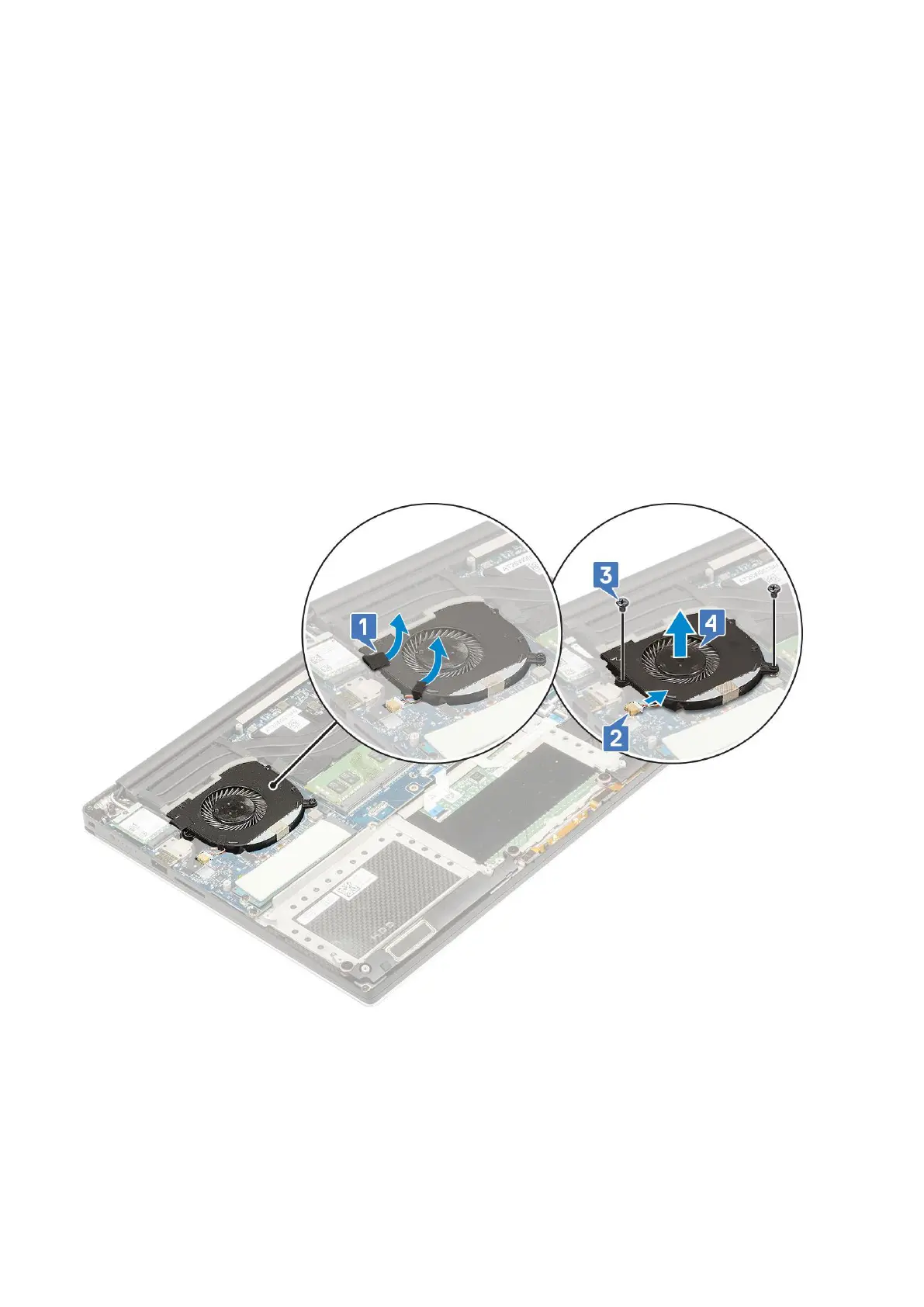
3. Perform the following steps to remove the left video-card fan:
a. Release the Mylar tape that secures the cable to the system board [1].
b. Disconnect the fan cable from the system board [2]
c. Remove the M2x4 (2) screws that secure the fan to the system board [3].
d. Lift the fan away from the computer [4]
4. Perform the following steps to remove the right system fan:
a. Remove the M2x4 (2) screws and lift the metal bracket that holds the left video-card fan to the system board [1].
b. Lift the metal bracket that secures the DisplayPort over Type-C [2].
Disassembly and reassembly
27



 To Next Page