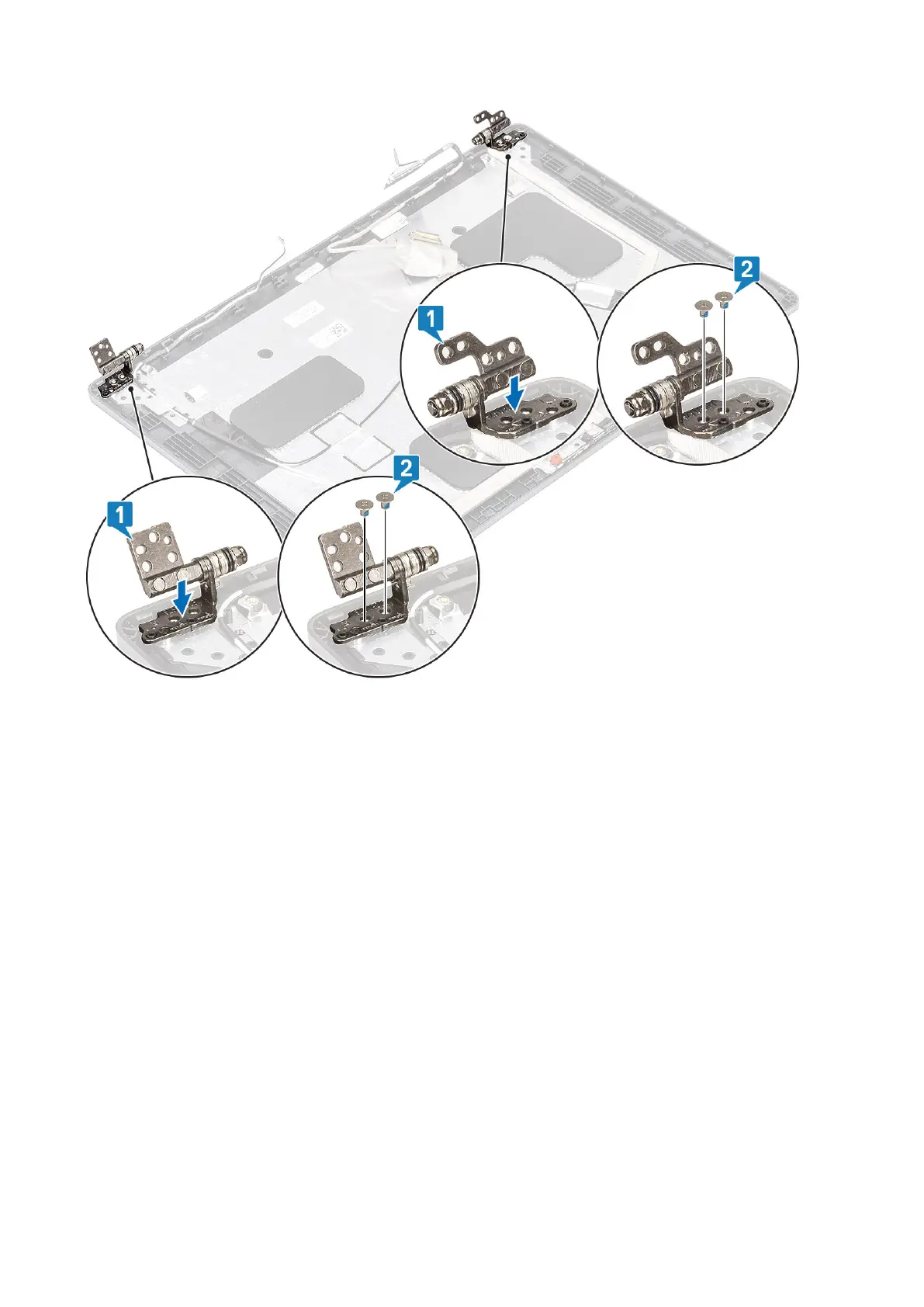
Next steps
1. Replace the hinge caps.
2. Replace the display bezel.
3. Replace the display assembly.
4. Replace the battery.
5. Replace the base cover.
6. Replace the microSD card.
7. Follow the procedure in after working inside your computer.
Display (eDP) cable
Removing display cable
Prerequisites
1. Follow the procedure in before working inside your computer.
2. Remove the microSD card.
3. Remove the base cover.
4. Remove the battery.
5. Remove the display assembly.
6. Remove the display bezel.
7. Remove the hinge caps.
8. Remove the display hinges.
Disassembly and reassembly
103



 To Next Page