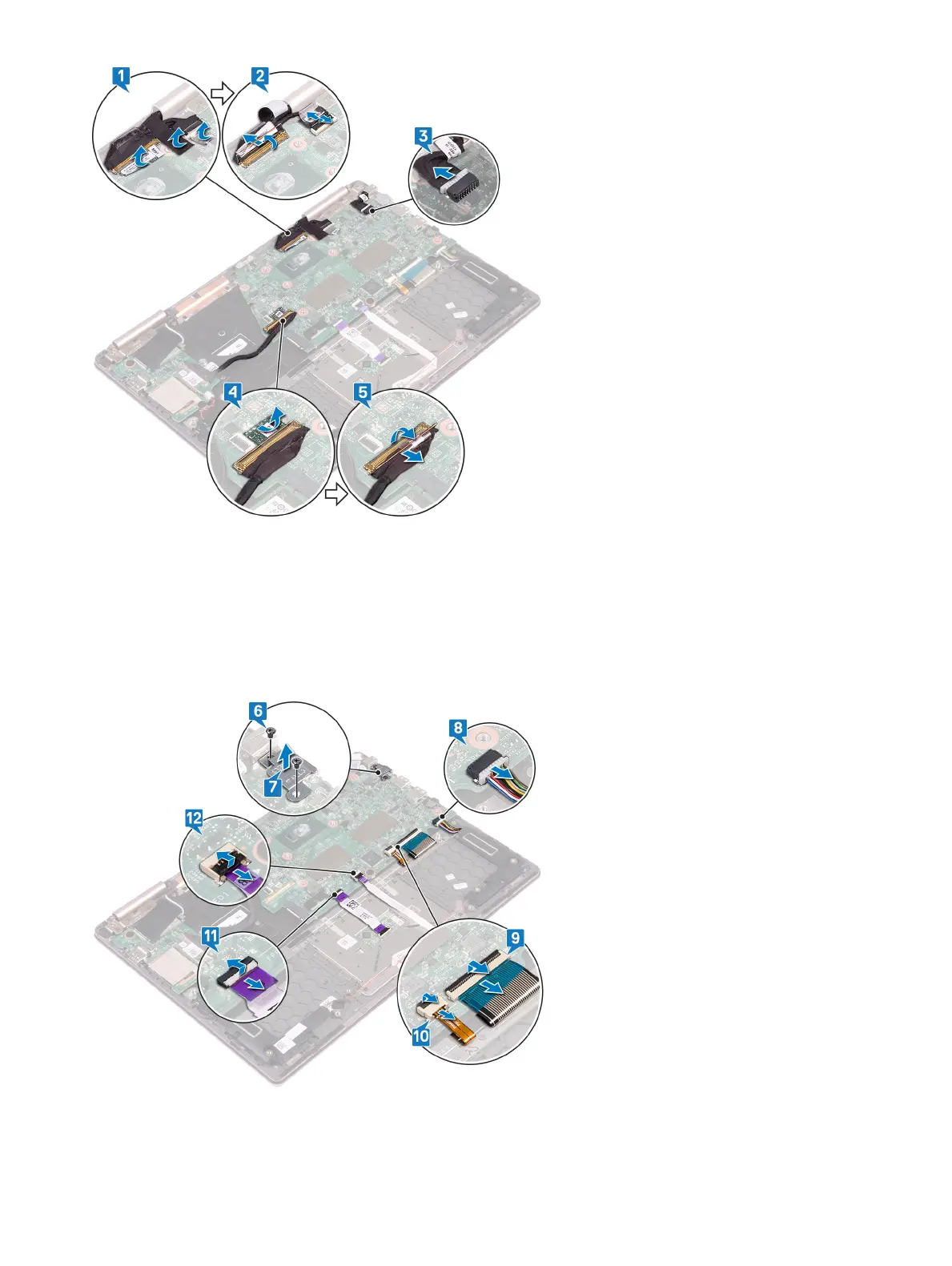
6 Remove the two screws (M2x3) that secure the Type-C port bracket to the system board and the palm-rest assembly.
7 Lift the Type-C port bracket o the system board.
8 Disconnect the speaker cable from the system board.
9 Open the latch and disconnect the keyboard cable from the system board.
10 Open the latch and disconnect the keyboard-backlight cable from the system board.
11 Open the latch and disconnect the touchpad cable from the system board.
12 Open the latch and disconnect the status-light board cable from the system board.
13 Remove the two screws (M2x2) that secure the system board to the keyboard bracket.
14 Lift the system board o the palm-rest assembly.
Removing the system board
41



 To Next Page