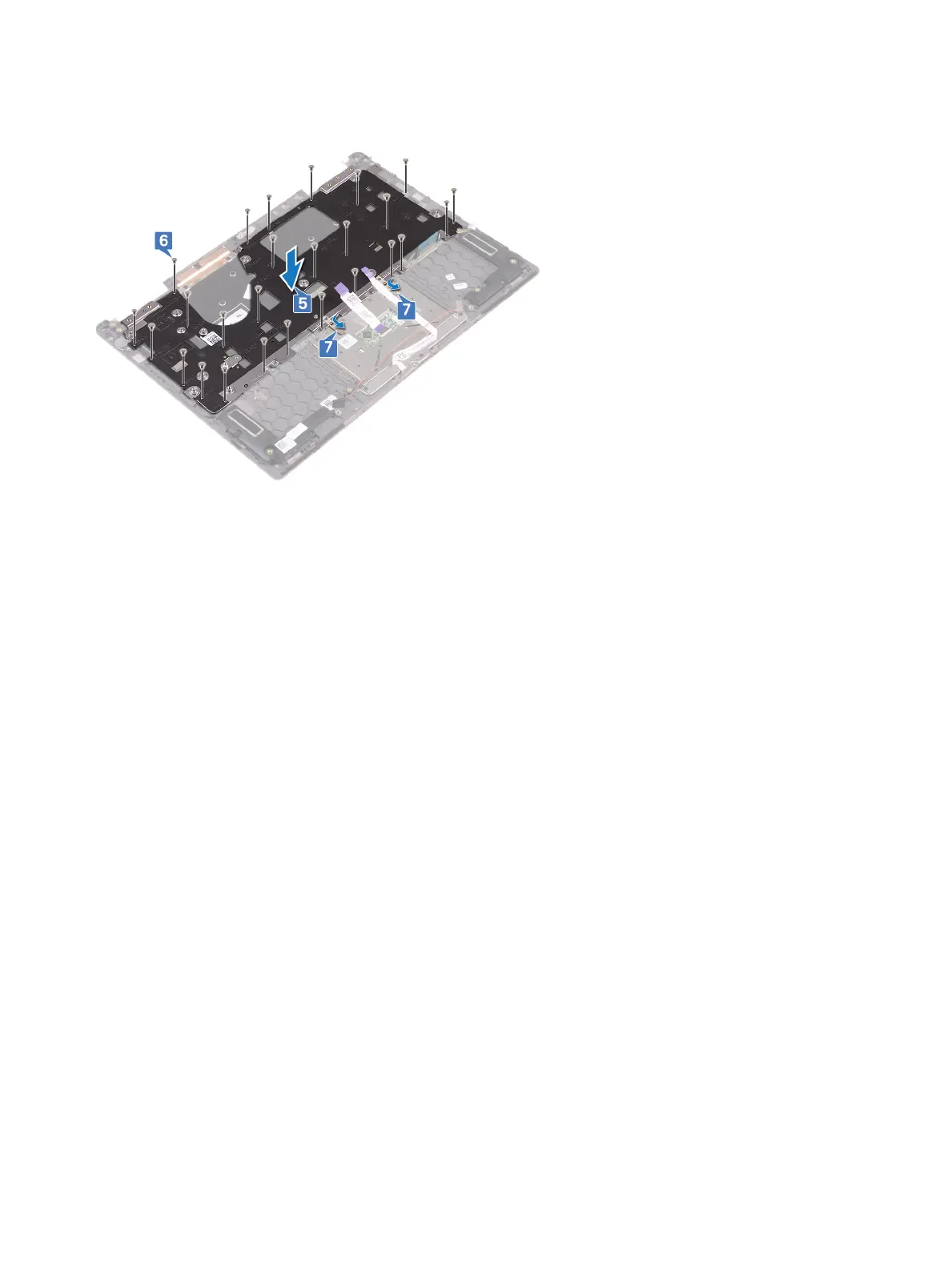
5 Place the keyboard bracket on the palm-rest assembly and align the screw holes on the keyboard bracket with the screw holes on the
keyboard and the palm-rest assembly.
6 Replace the 27 screws (M1.4x2) that secure the keyboard bracket and the keyboard to the palm-rest assembly.
7 Replace the two adhesive tapes that secure the touchpad to the keyboard bracket.
Post-requisites
1 Replace the system board.
2 Replace the fan.
3 Replace the heat sink.
4 Replace the solid-state drive.
5 Replace the power button with ngerprint reader. (if installed)
6 Replace the I/O board.
7 Replace the display assembly.
8 Replace the wireless card.
9 Replace the coin-cell battery.
10 Replace the battery.
11 Replace the base cover.
Replacing the keyboard
59



 To Next Page