P992 (E) 1-4
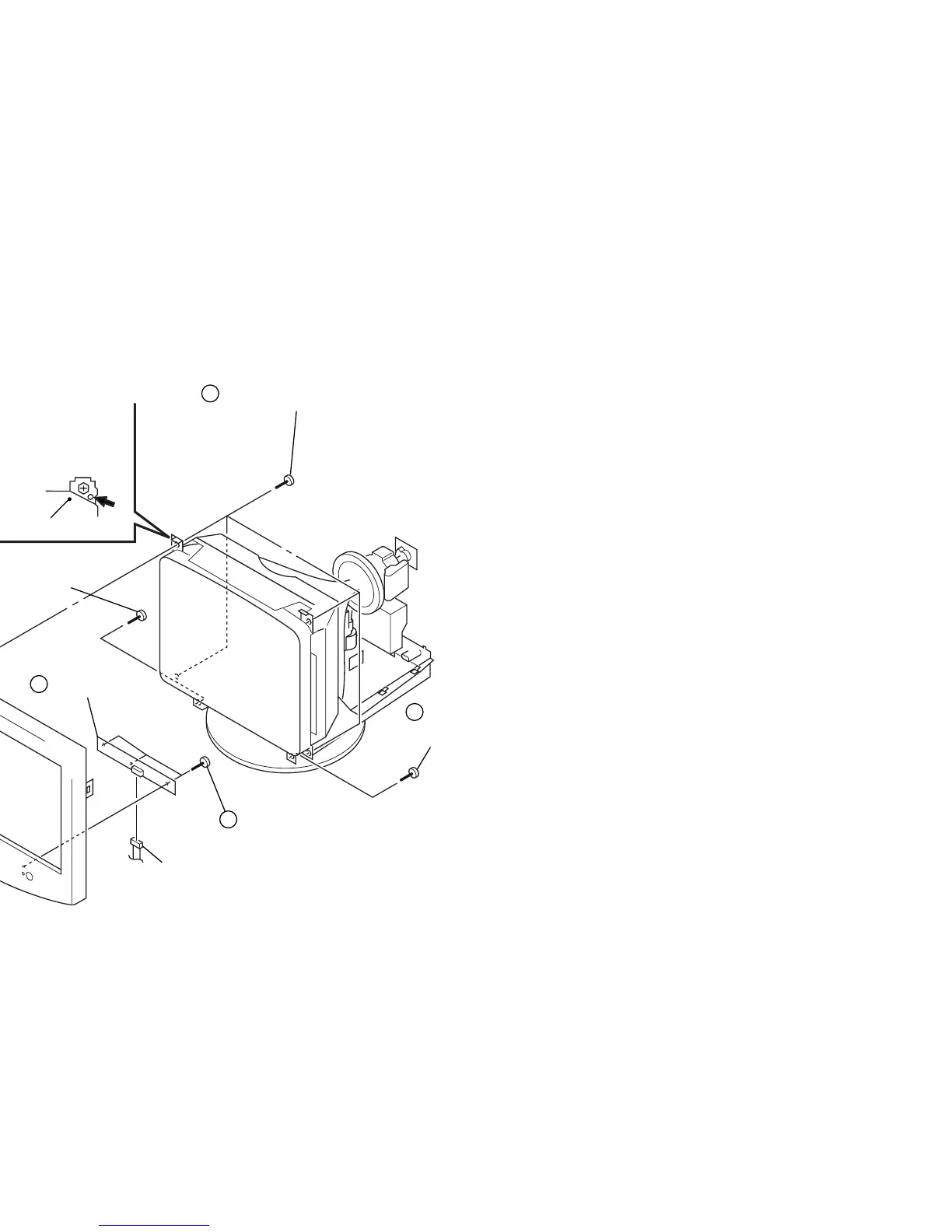
1-4. BEZEL ASSEMBLY, H4 BOARD REMOVAL
2
1
Four tapping screws (5)
5
Bezel assembly
3
Screw
(+BVTP 4 x 16)
4
Screw
(+BVTP 4 x 16)
Three screws
(+BVTP 3 x 10)
7
H4 board
CN1400
Picture tube shield
Before removing the bezel assembly, secure
the picture tube by attaching two screws to
the picture tube shield at the positions shown
with an arrow (diagonal two places) to prevent
the picture tube from falling.
(Use the screws +BVTT 4 x 8 that fix EMI shield.)
6


 To Next Page