18 A Tour of Your Computer
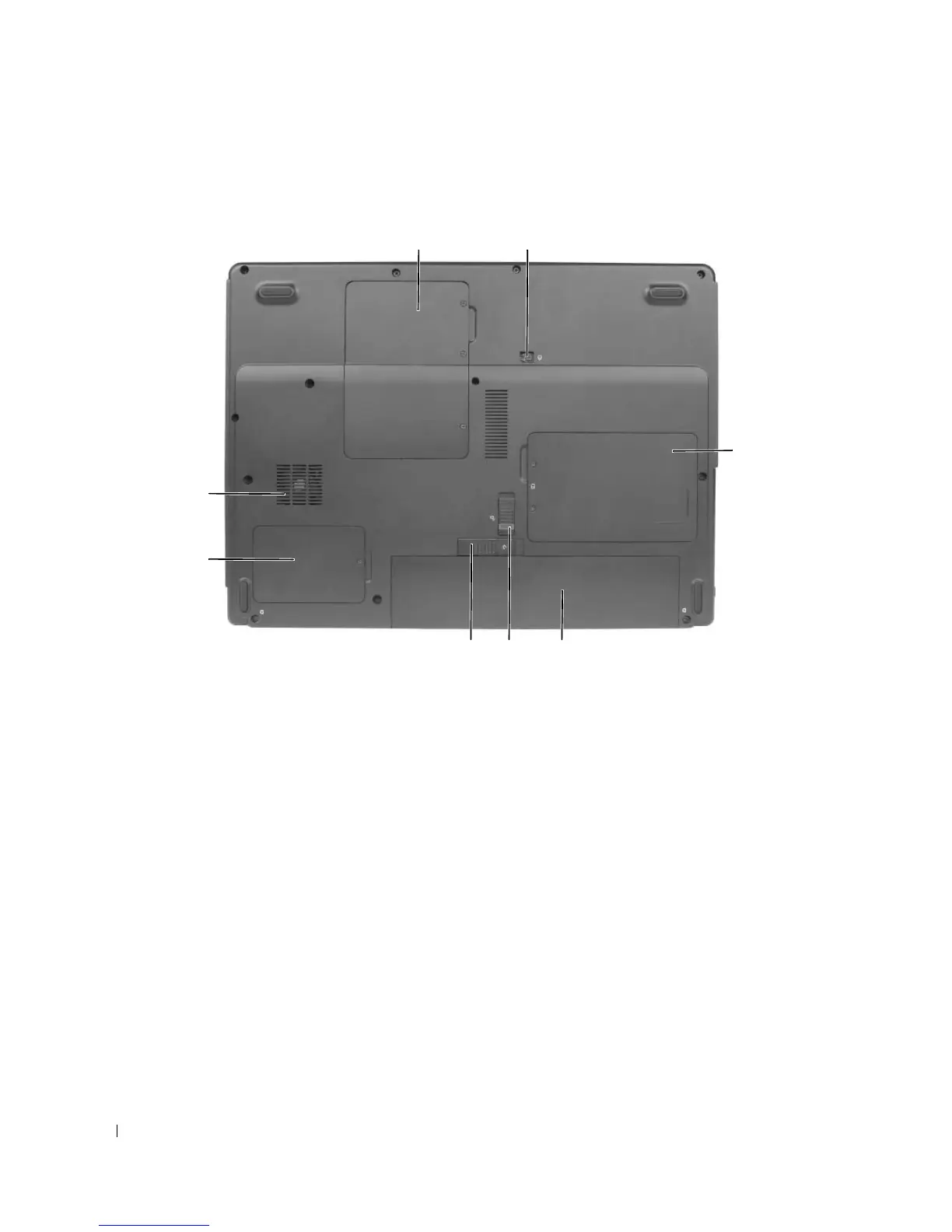
Bottom View
MEMORY MODULE/MINI PCI COVER — Covers the compartment that contains the memory module(s) and Mini
PCI card. For more information on replacing memory, see “Memory” on page 88 For more information on replacing
the Mini PCI card, see “Wireless Mini PCI Card” on page 92.
OPTICAL DRIVE LOCKING SCREW — Secures the optical drive in the optical drive bay. For more information, see
“CD/DVD Drive” on page 87.
HARD DRIVE — Stores software and data. For more information, see “Hard Drive” on page 85.
BATTERY — When a battery is installed, you can use the computer without connecting the computer to an
electrical outlet. For more information, see “Using a Battery” on page 31.
BATTERY-BAY LATCH LOCK — Unlocks the battery so that it can be released from the battery bay.
BATTERY-BAY LATCH RELEASE — Releases the battery from the battery bay. See “Replacing the Battery” on
page 38.
PROCESSOR AND THERMAL MODULE COVER — Covers the processor and thermal module.
FAN — The computer uses fans to create airflow through the vents, which prevents the computer from overheating.
1 memory module/Mini PCI
cover
4 battery 7 thermal module cover
2 optical drive locking screw 5 battery-bay latch lock 8 fan
3 hard drive cover 6 battery-bay latch release
4
3
5
12
7
8
6












 To Next Page