Setting Up Your Computer 23
See the documentation that came with the printer for setup information, including how to:
• Obtain and install updated drivers.
• Connect the printer to the computer.
• Load paper and install the toner or ink cartridge.
For technical assistance, refer to the printer owner's manual or contact the printer manufacturer.
Printer Cable
Your printer connects to your computer with a USB cable. Your printer may not come with a printer
cable, so if you purchase a cable separately, ensure that it is compatible with your printer and computer.
If you purchased a printer cable at the same time you purchased your computer, the cable may arrive in
the box in which your computer was shipped.
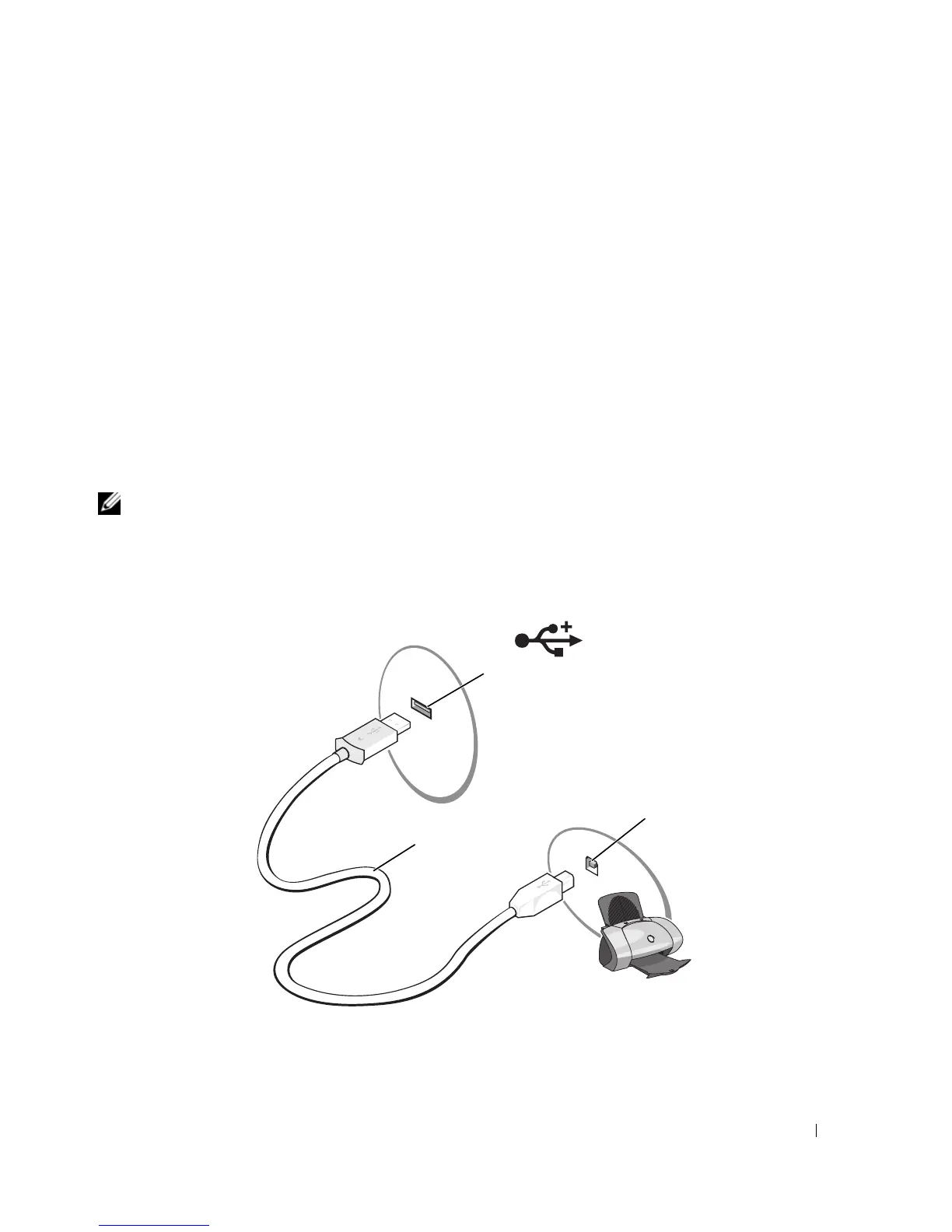
Connecting a USB Printer
NOTE: You can connect USB devices while the computer is turned on.
1
Complete the operating system setup if you have not already done so.
2
Attach the USB printer cable to the USB connectors on the computer and the printer. The USB
connectors fit only one way.
1 USB connector on computer 2 USB printer cable 3 connector on printer
2
1
3












 To Next Page