16 A Tour of Your Computer
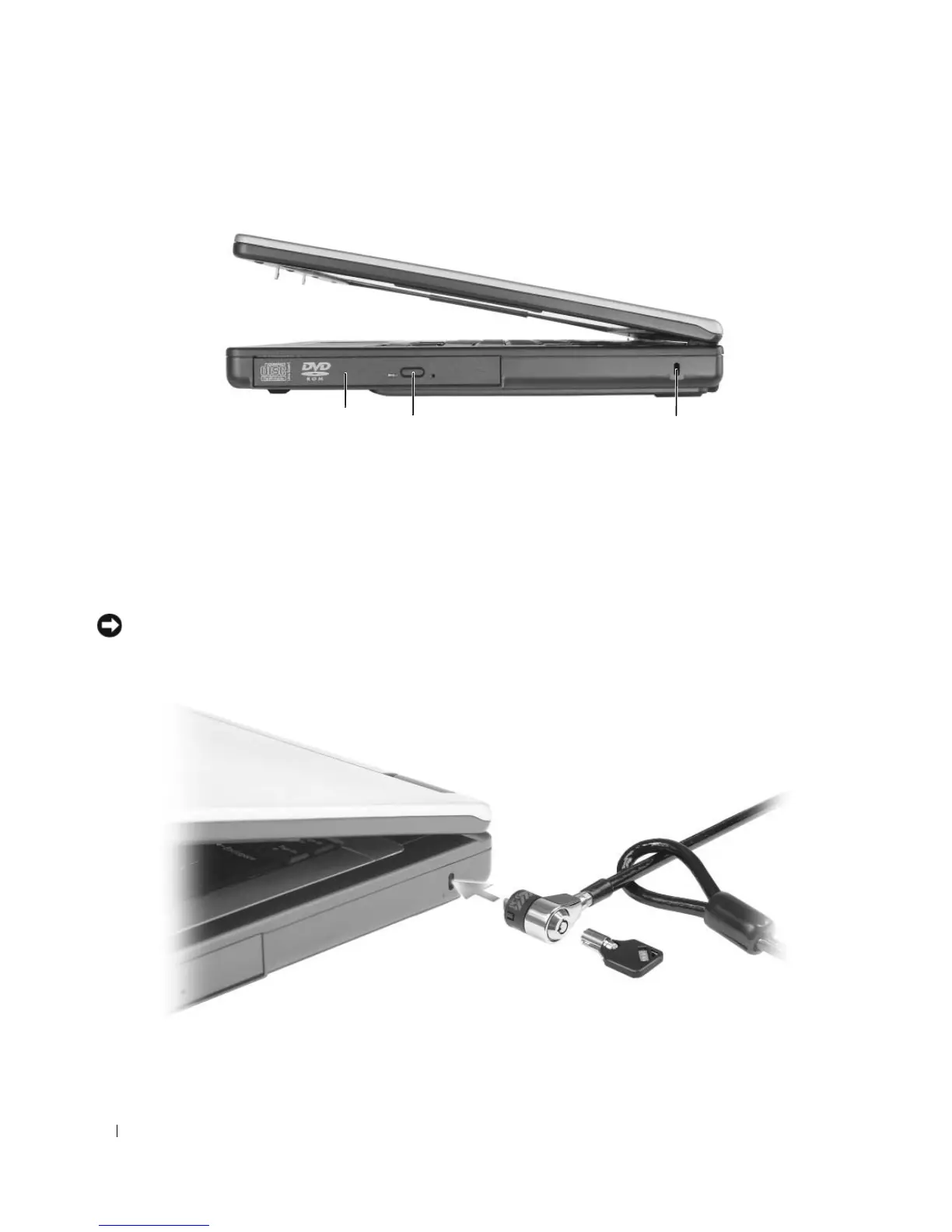
Right Side View
OPTICAL DRIVE — You can install devices such as a DVD drive or other optical drive in the optical drive
bay. For more information, see “CD/DVD Drive” on page 87.
OPTICAL-DRIVE-TRAY EJECT BUTTON — Press this button to eject a CD or DVD from the optical drive.
SECURITY CABLE SLOT — Lets you attach a commercially available antitheft device to the computer. For more
information, see the instructions included with the device.
NOTICE: Before you buy an antitheft device, ensure that it will work with the security cable slot.
1 optical drive bay 2 optical drive-tray eject button 3 security cable slot
3
2
1












 To Next Page