14 A Tour of Your Computer
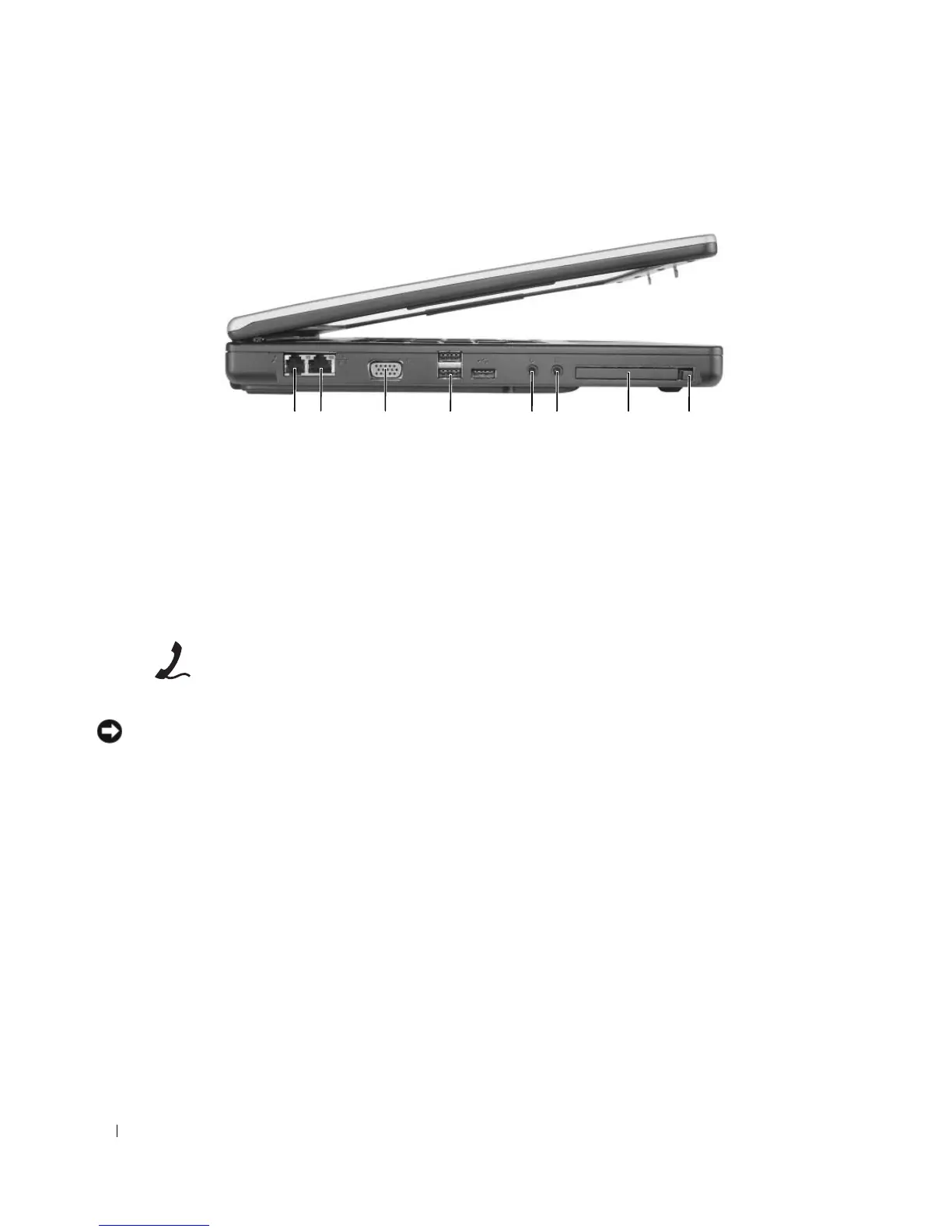
Left Side View
MODEM CONNECTOR (RJ-11)
NOTICE: The network connector is slightly larger than the modem connector. To avoid damaging the computer, do
not plug a telephone line into the network connector.
1 modem connector 4 USB connectors (3) 7 ExpressCard slot
2 network connector 5 microphone connector 8 ExpressCard slot release
button
3 video connector 6 headphone connector
To use the internal modem, connect the telephone line to
the modem connector.
For additional information on using the modem, see the
online modem documentation supplied with your computer.
453 7 81 2 6












 To Next Page