96 Adding and Replacing Parts
5
Replace the memory module/Mini PCI cover and tighten the screws.
NOTICE: If the cover is difficult to close, remove the module and reinstall it. Forcing the cover to close may
damage your computer.
6
Insert the battery into the battery bay, or connect the AC adapter to your computer and an electrical
outlet.
7
Turn on the computer.
Hinge Cover
CAUTION: Before you begin any of the procedures in this section, follow the safety instructions in the Product
Information Guide.
NOTICE: To avoid electrostatic discharge, ground yourself by using a wrist grounding strap or by periodically
touching an unpainted metal surface (such as a connector on the back of the computer).
NOTICE: The hinge cover is fragile and can be damaged if extreme force is used. Be careful when removing the
hinge cover.
1
Follow the procedures in “Before You Begin” on page 83.
2
Remove the battery. See “Replacing the Battery” on page 38.
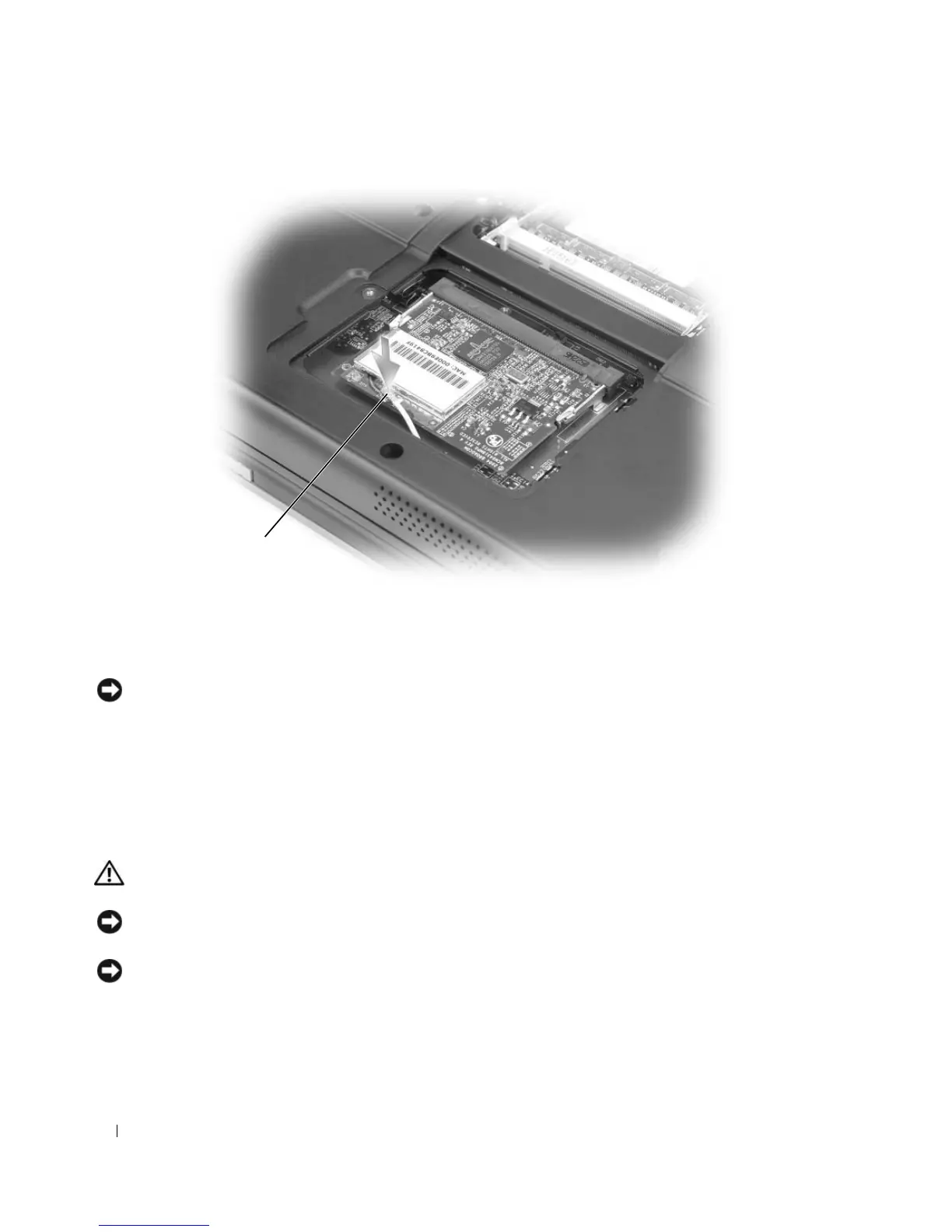
1 antenna cable
1












 To Next Page