Adding and Replacing Parts 89
The computer has two memory slots, DIMM A and DIMM B, both located on the bottom of the
computer under the memory module/Mini PCI cover. DIMM A holds the basic memory module as
configured from the factory. If you did not order additional memory, DIMM B will be empty. Generally, if
you are adding memory, you will install a memory module in DIMM B. If you are upgrading memory, you
may need to install memory in DIMM A and B depending on the extent of the upgrade.
1
Follow the procedures in “Before You Begin” on page 83.
2
Ground yourself by touching one of the metal connectors on the back of the computer.
NOTE: If you leave the area, ground yourself again when you return to the computer.
3
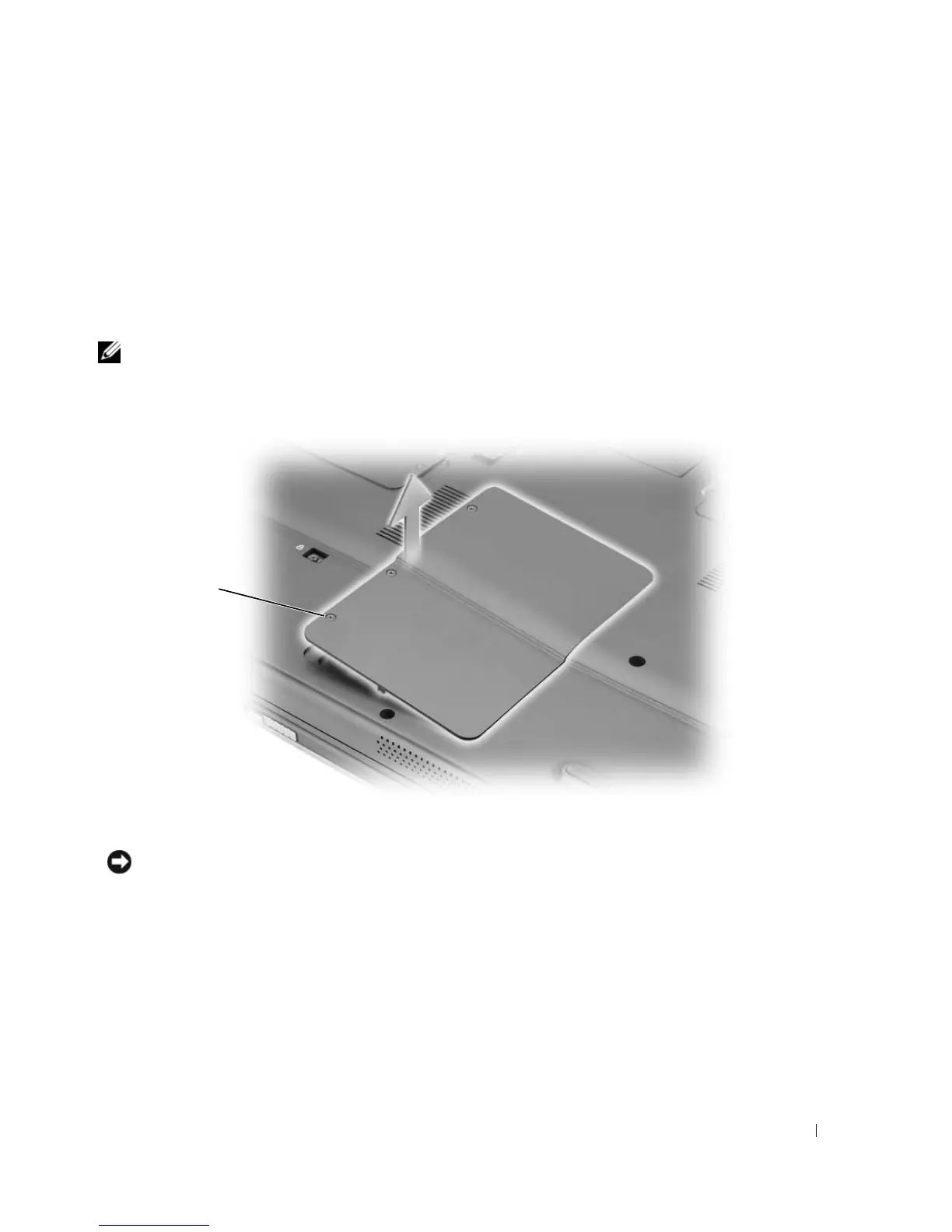
Turn the computer over, loosen the captive screws on the memory module/Mini PCI cover, and then
remove the cover.
NOTICE: To prevent damage to the memory module connector, do not use tools to spread the memory-module
securing clips.
1 captive screws (3)
1












 To Next Page