About Your Computer
21
OPTICAL
DRIVE
BAY
— You can install devices such as a DVD drive or other optical drive in the optical drive bay.
For more information, see "Optical Drive" on page 90.
OPTICAL
-
DRIVE
-
TRAY
EJECT
BUTTON
— Press this button to eject a CD or DVD from the optical drive.
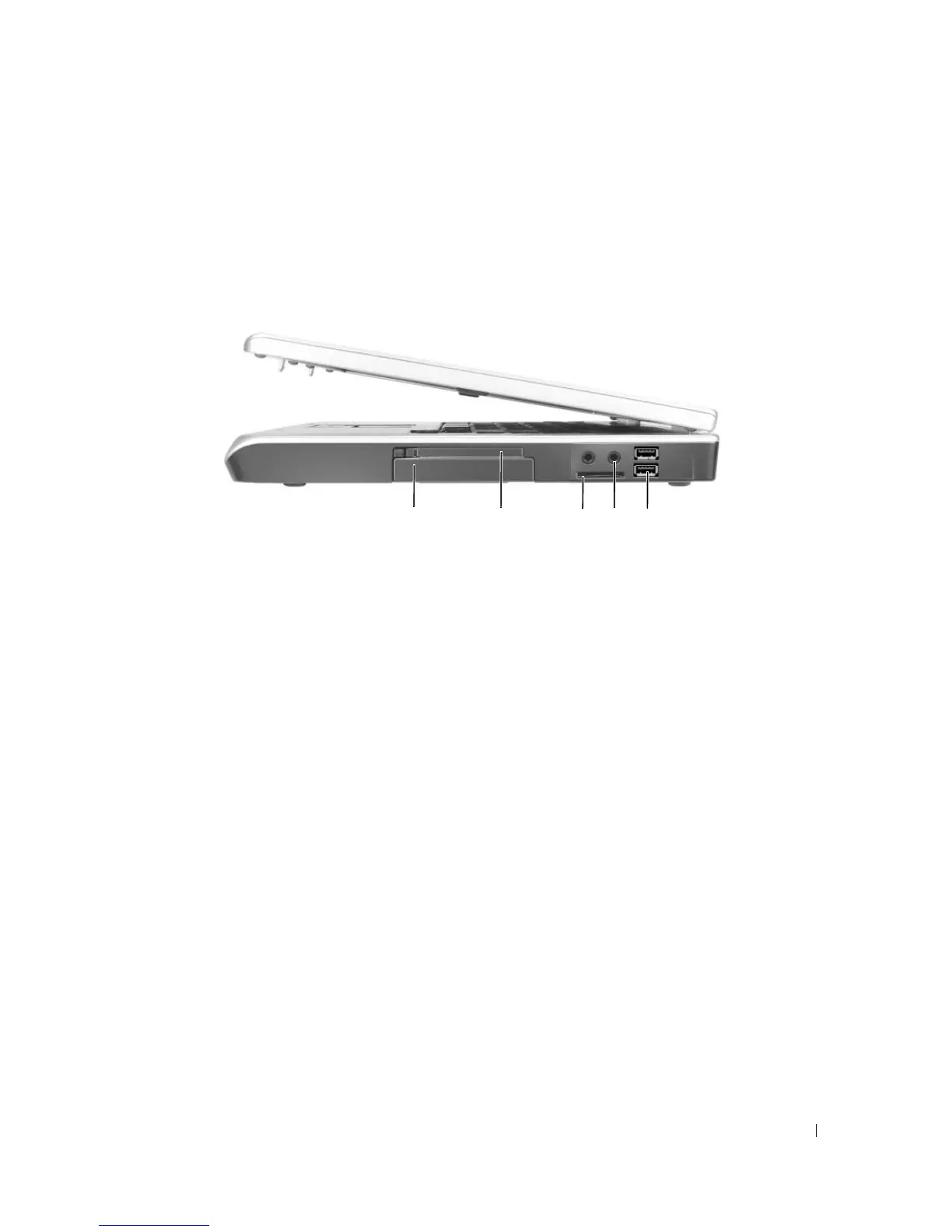
Right Side View
HARD
DRIVE
— Stores software and data. For more information, see "Hard Drive" on page 90 and "Hard drive
problems" on page 65.
E
XPRESS
C
ARD
SLOT
— Supports one ExpressCard. The computer ships with a plastic blank installed in the slot.
You can add an ExpressCard to make WWAN connectivity available on your computer. For more information, see
"Using Cards" on page 49.
3-
IN
-1
MEDIA
MEMORY
CARD
READER
— Provides a fast and convenient way to view and share digital photos,
music, and videos stored on a media memory card. The 3-in-1 media memory card reader reads Secure Digital (SD)
card/SDIO and MultiMediaCard (MMC) digital media memory cards.
1 hard drive 2 ExpressCard slot 3 3-in-1 media memory card
reader
4 audio connectors (2) 5 USB connectors (2)
34 521
More Information : www.pcsearch.ir












 To Next Page