20
About Your Computer
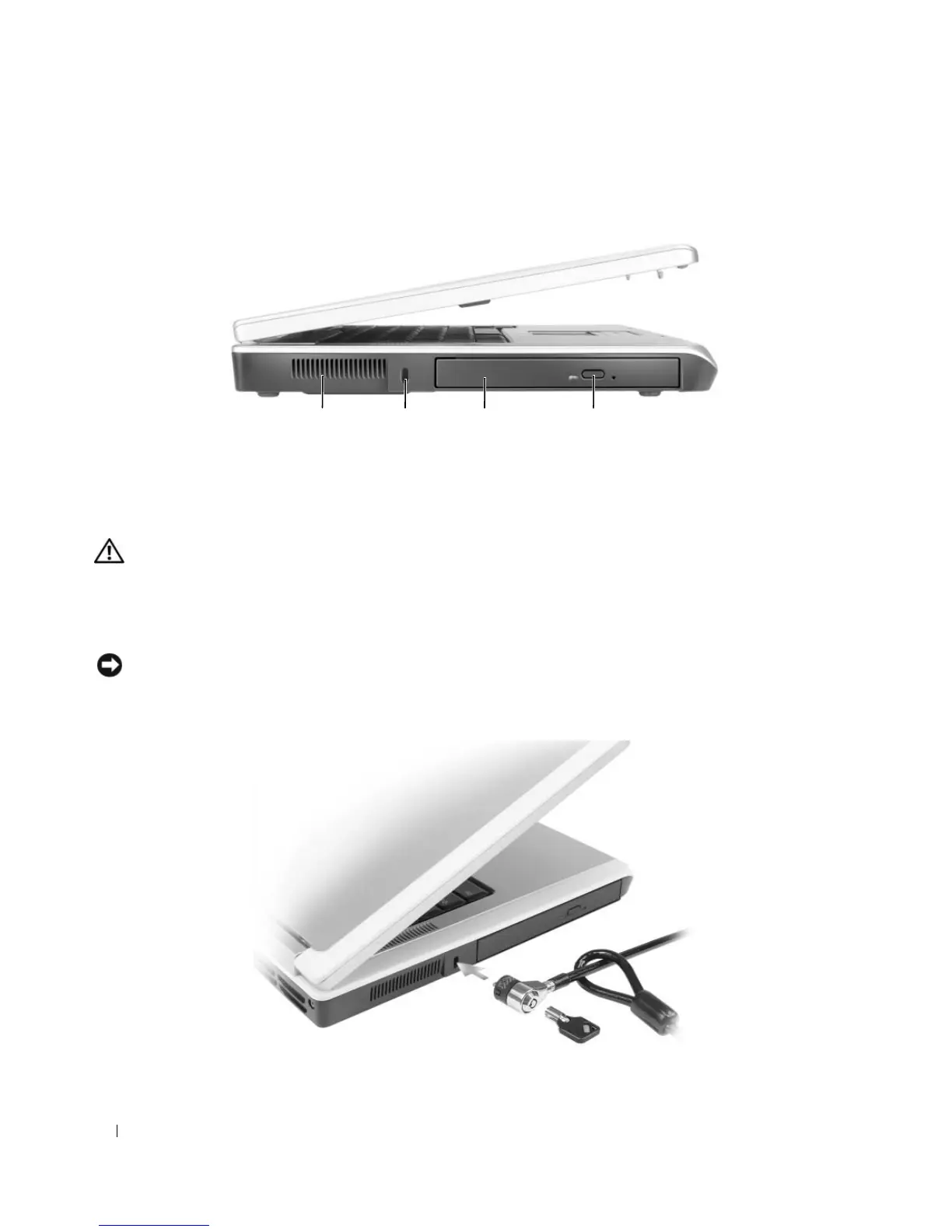
Left Side View
CAUTION:
Do not block, push objects into, or allow dust to accumulate in the air vents. Do not store your
computer in a low-airflow environment, such as a closed briefcase, while it is running. Restricting the airflow
can damage the computer or cause a fire.
AIR
VENT
— The computer uses fans to create airflow through the vents, which prevents the computer from
overheating.
NOTICE:
Before you buy an antitheft device, ensure that it will work with the security cable slot.
SECURITY
CABLE
SLOT
— Lets you attach a commercially available antitheft device to the computer. For more
information, see the instructions included with the device.
1 air vent 2 security cable slot 3 optical drive bay
4 optical-drive-tray eject
button
3241
More Information : www.pcsearch.ir












 To Next Page