22
About Your Computer
AUDIO
CONNECTORS
USB
CONNECTORS
Back View
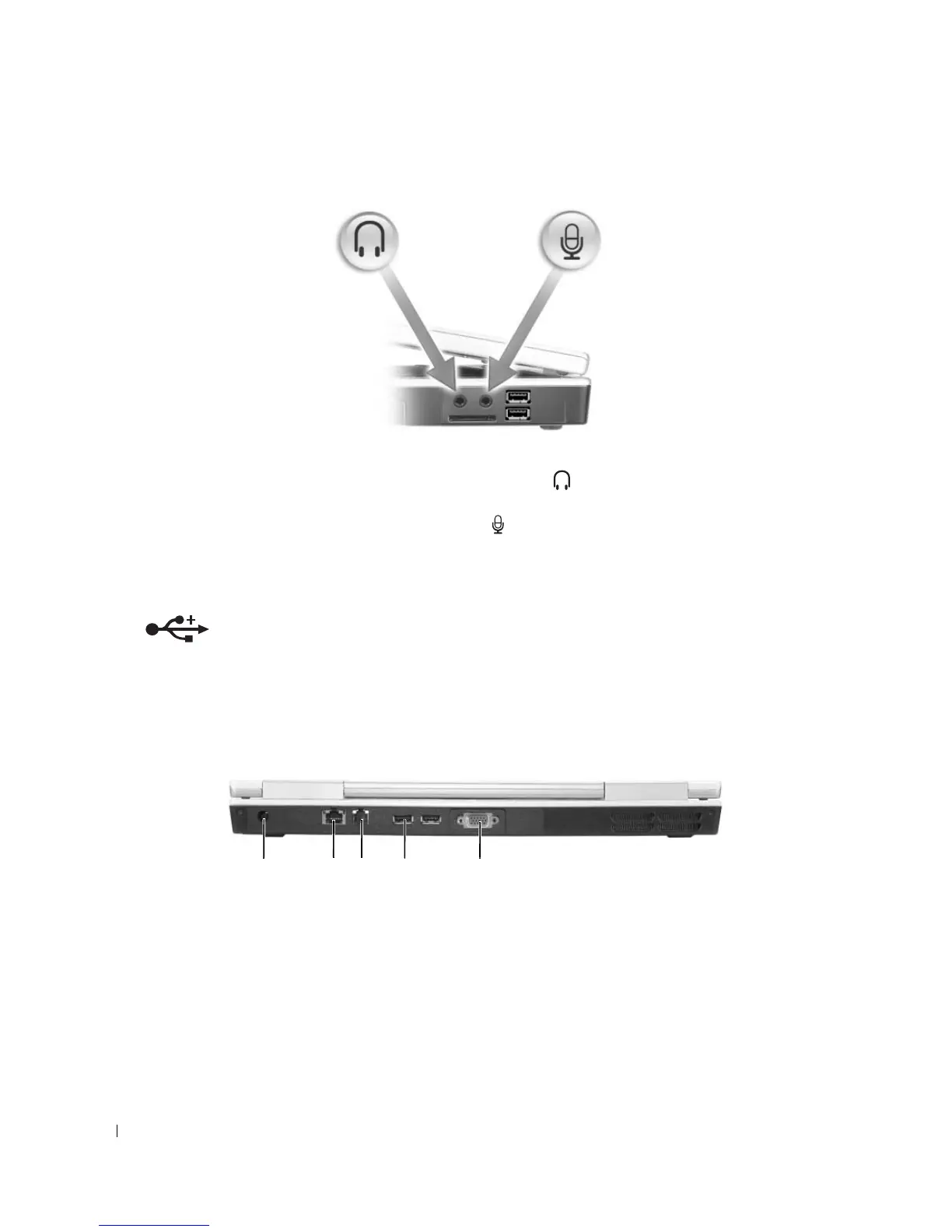
Attach headphones or speakers to the connector.
Attach a microphone to the connector.
Connect USB devices, such as a mouse, keyboard, or printer. You can also connect
the optional floppy drive
directly to a USB connector using the optional floppy-
drive
cable.
1 AC adapter connector 2 network connector (RJ-45) 3 modem connector (RJ-11)
4 USB connectors (2) 5 video connector
1 4 532
More Information : www.pcsearch.ir












 To Next Page