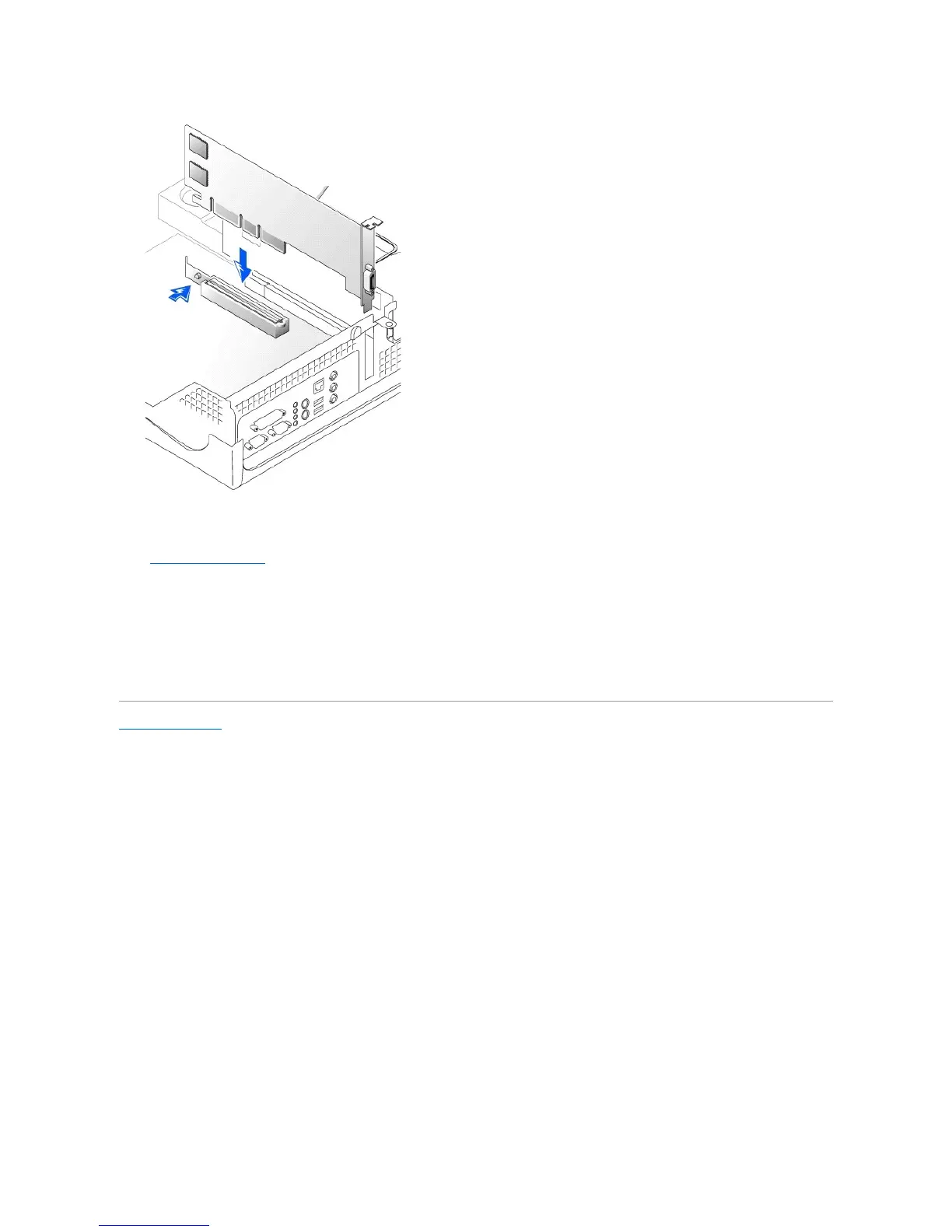
5. Release the AGP card clip lever, ensuring that the tab on the AGP card clip lever fits into the notch on the front end of the AGP card.
6. Secure the AGP card bracket by lowering the securing lever on the back panel.
7. Close the computer cover.
Removing an AGP Card
1. Raise the hinged lever on the back on the computer.
2. On the AGP card clip, press the lever toward PCI slot 1.
3. Pull the AGP card up and out of the AGP card clip.
Back to Contents Page










 To Next Page