Back to Contents Page
Expansion Card Cage (Small Desktop Computer Only)
DellPrecision™WorkStation340ServiceManual
The PCI riser board in the small desktop computer has two PCI expansion card slots.
Removing the Expansion-Card Cage
1. Open the computer cover.
2. Check any cables connected to expansion cards through the back- panel openings. Disconnect any cables that will not reach the cage once it is
removed from the computer.
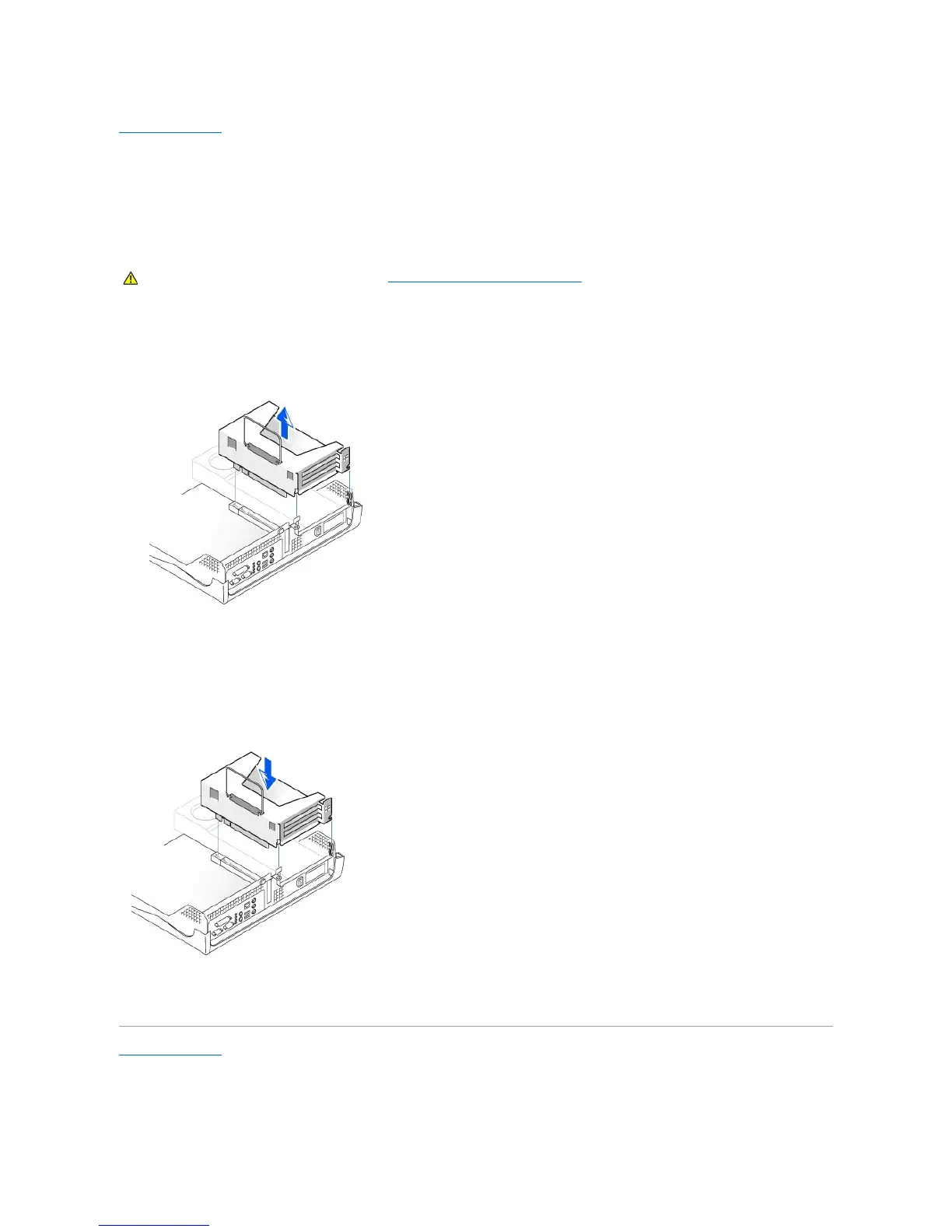
Expansion-Card Cage Removal
3. Gently pull on the handle and lift the expansion-card cage away from the computer.
Replacing the Expansion-Card Cage
1. Align the slots in the side of the expansion-card cage with the tabs on the side of the computer, and slide the expansion-card cage down into place.
Expansion-Card Cage Replacement
2. Make sure that the riser board is fully seated in the connector on the system board.
3. Reconnect any cables that you removed in step 2 of the previous procedure.
Back to Contents Page










 To Next Page