Active Pen Control Panel │ 13
Using Active Pen Control Panel
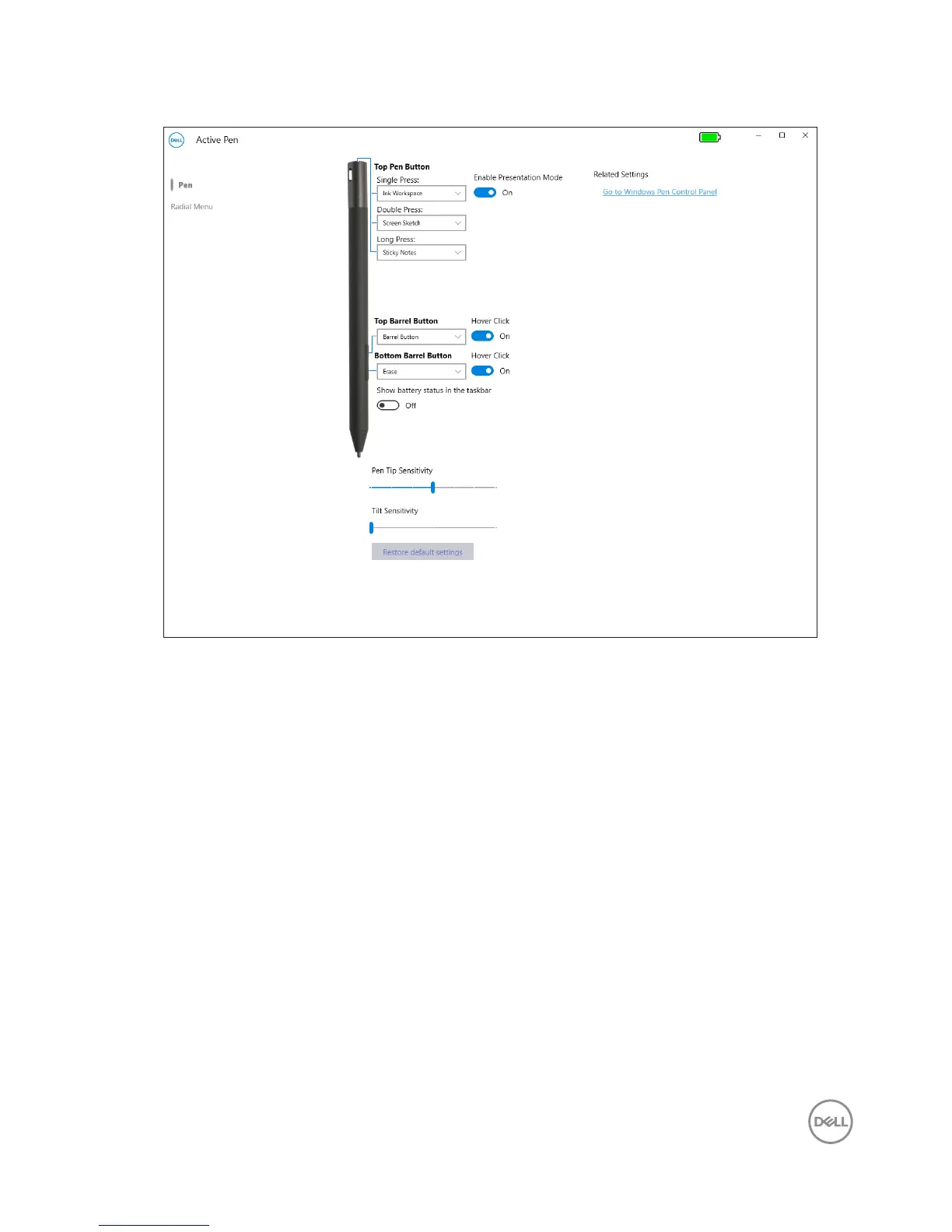
Top Pen Button • Turn on Enable Presentation Mode to use the button
to navigate through a PowerPoint presentation.
• Top Pen Button can be disabled or programmed to run
specific applications or functions as listed below:
• Single Press/Double Press/Long Press — Ink
Workspace (default for Single Press), OneNote,
Sketchpad, Screen Sketch (default for Double Press),
Sticky Notes (default for Long Press), Open/Run...,
Keystrokes..., Page Up, Page Down, Play/Pause, Next
Track, Previous Track, Volume Up, Volume Down,
Mute, and Defined by System.




 To Next Page