Setting up the monitor | 31
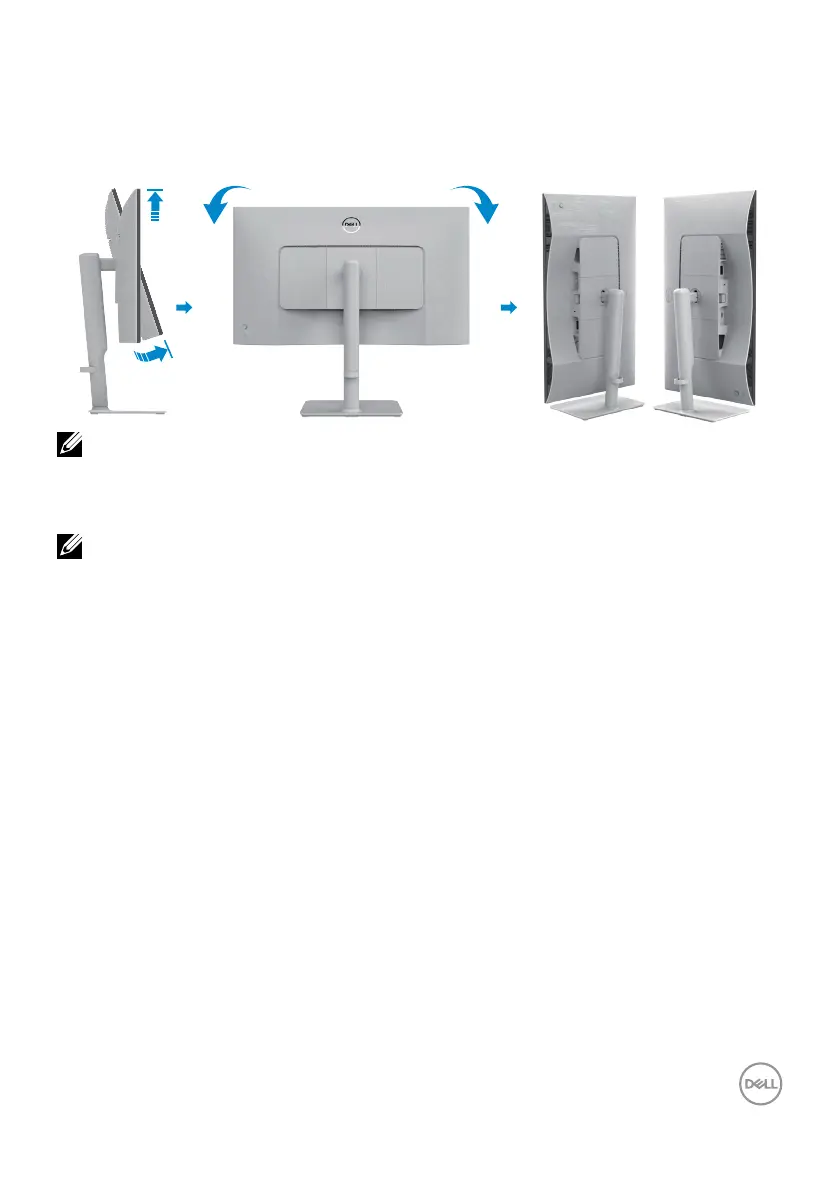
Rotating the display
Before you rotate the display, extend the display vertically until the top of the stand
riser and then tilt the display backwards until the maximum to avoid hitting the bottom
edge of the display.
2
1
90°
90°
NOTE: To toggle the display setting on your Dell computer between
landscape and portrait when rotating the display, download and install the
latest graphics driver. To download, go to https://www.dell.com/support/
drivers and search for the appropriate driver.
NOTE: When the display is in portrait mode, you may experience
performance degradation when using graphic-intensive applications such
as 3D gaming.



 To Next Page